
Platforms
Connect YouTube
You create your own Google project; no invitation from Publit.Si is needed. Start in test mode: it works in minutes and needs no domain, and you reconnect every 7 days. With a Cloudflare tunnel you can later switch to production and skip the weekly reconnect.
You need
- A Google account that owns your YouTube channel (or manages the Brand Account)
- Nothing else for test mode. For production: a Cloudflare tunnel
Create the project and enable the APIs
Open console.cloud.google.com → project picker at the top → New project. Any name works, for example “Publit.Si”.
APIs & Services → Library → search YouTube Data API v3 → Enable.
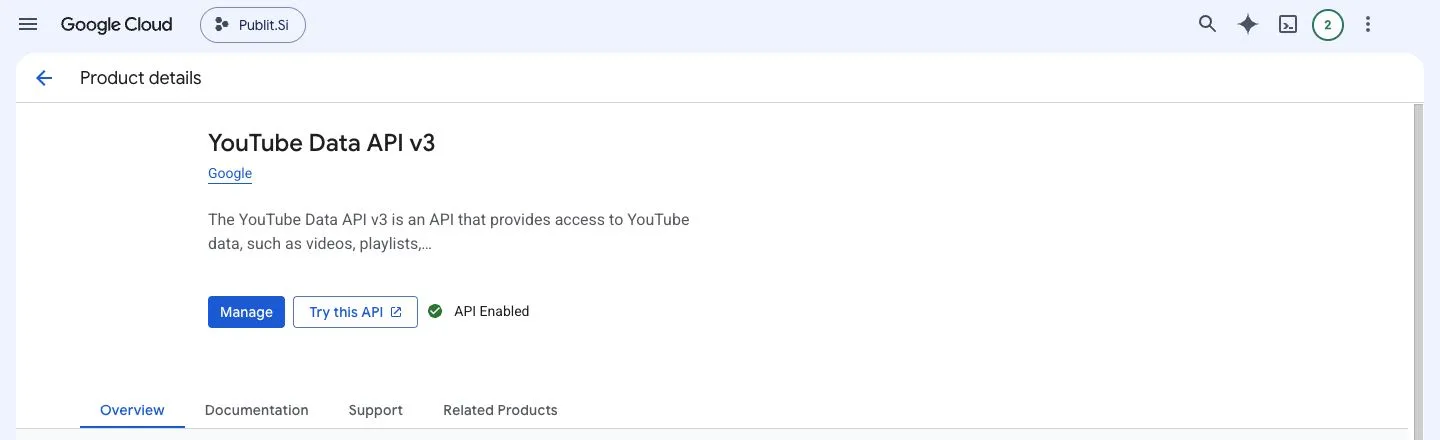
- 1:Enable / Manage
Do the same for YouTube Analytics API if you want watch time. Without it everything else still works.
Have a blog? Enable Google Search Console API too for its search numbers. The blog guide has the rest.
Name your app
Open Google Auth Platform (older menus: APIs & Services → OAuth consent screen). Click Get started if Google asks.
Branding: app name (e.g. “Publit.Si”), your User support email and, under Developer contact information, your email address → Save. A logo is optional.
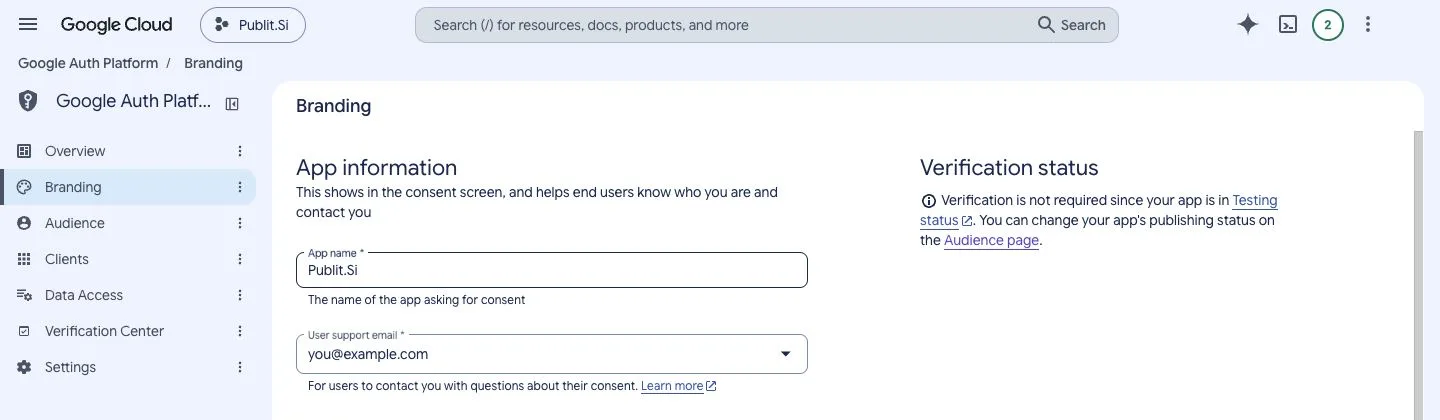
- 1:Branding
- 2:App name
- 3:User support email
Audience: user type External.
Add yourself as a test user
This is the step people miss. Without it Google shows “Access blocked” with “Error 403: access_denied”.
Audience → Test users → + Add users.
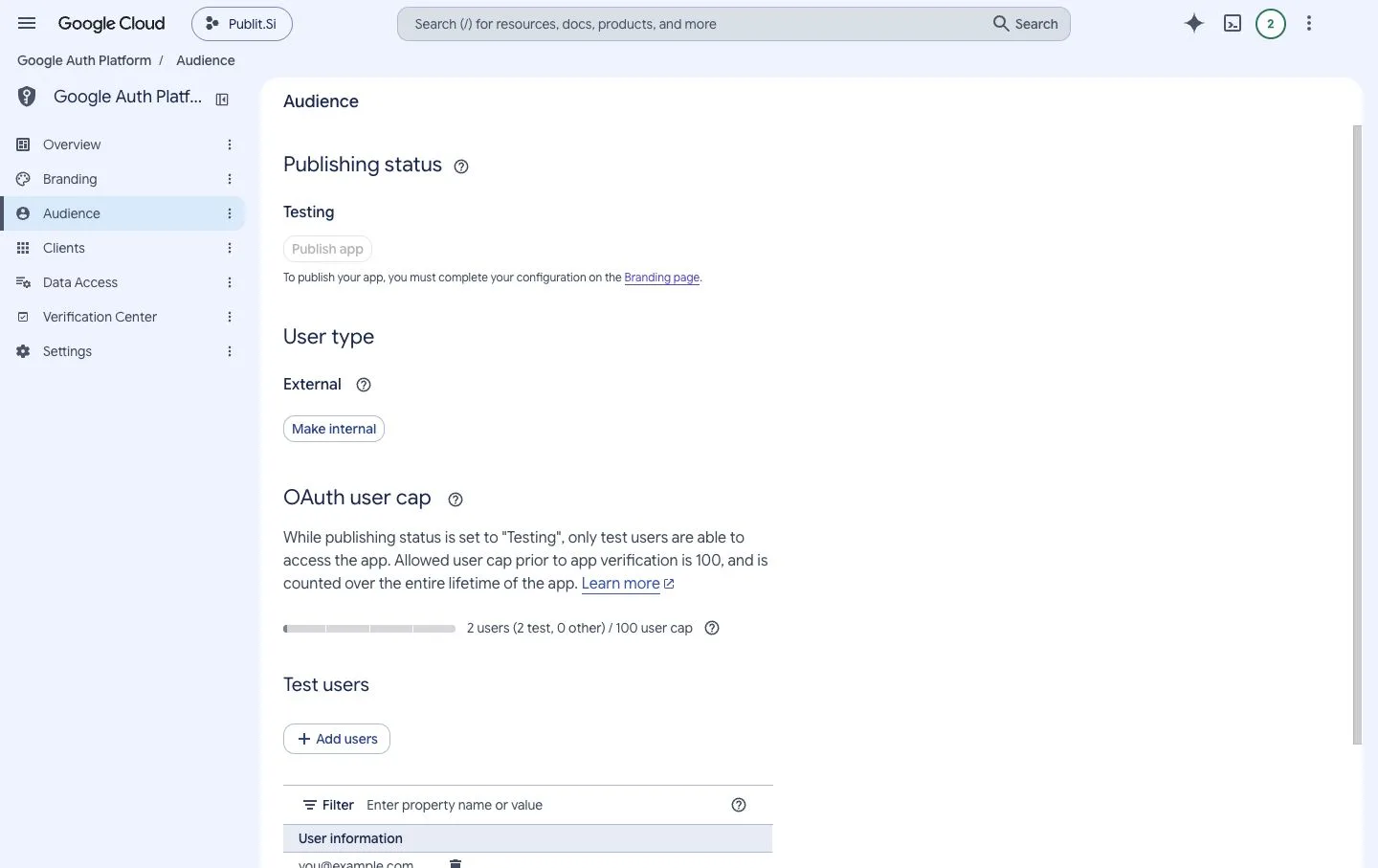
- 1:Testing
- 2:External
- 3:Add users
Enter the Google account that owns your YouTube channel. For a Brand Account, the Google account that manages it. → Save.
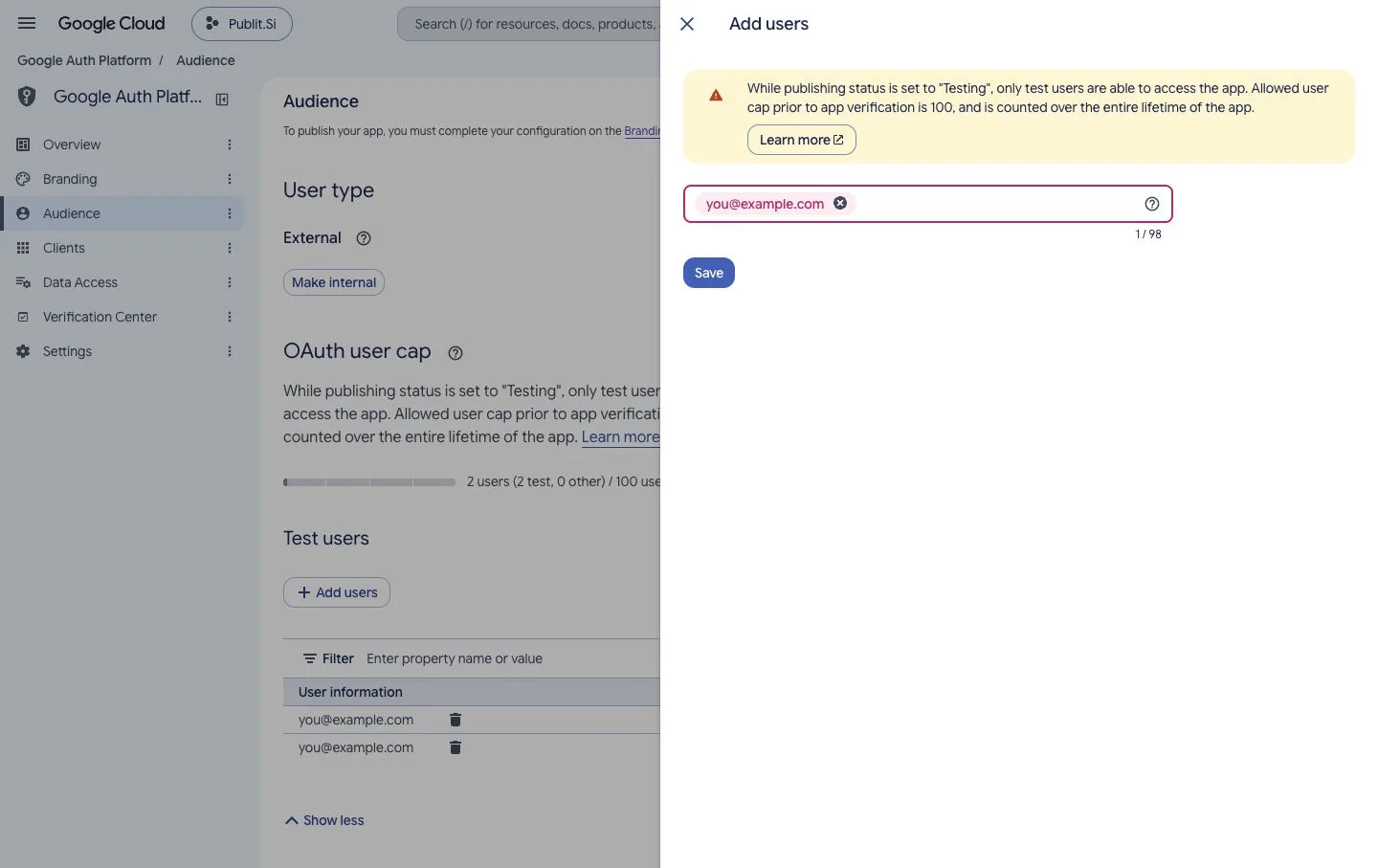
- 1:Your Google account
- 2:Save
Create the OAuth client
In Publit.Si, open Settings › Platform setup › YouTube and copy the redirect URI, usually
http://localhost:3000/api/oauth/youtube/callback.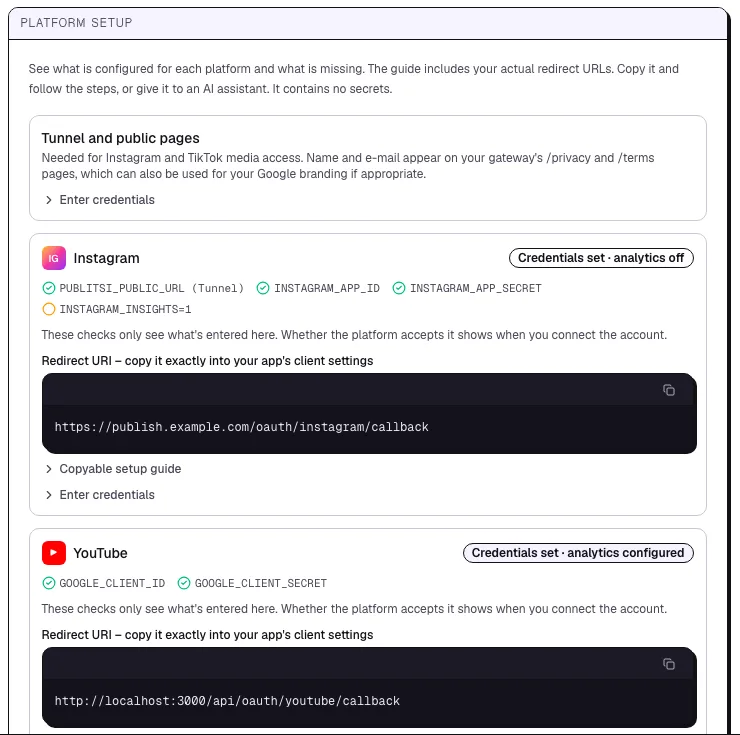
- 1:Status of the platform
- 2:Redirect URI to copy
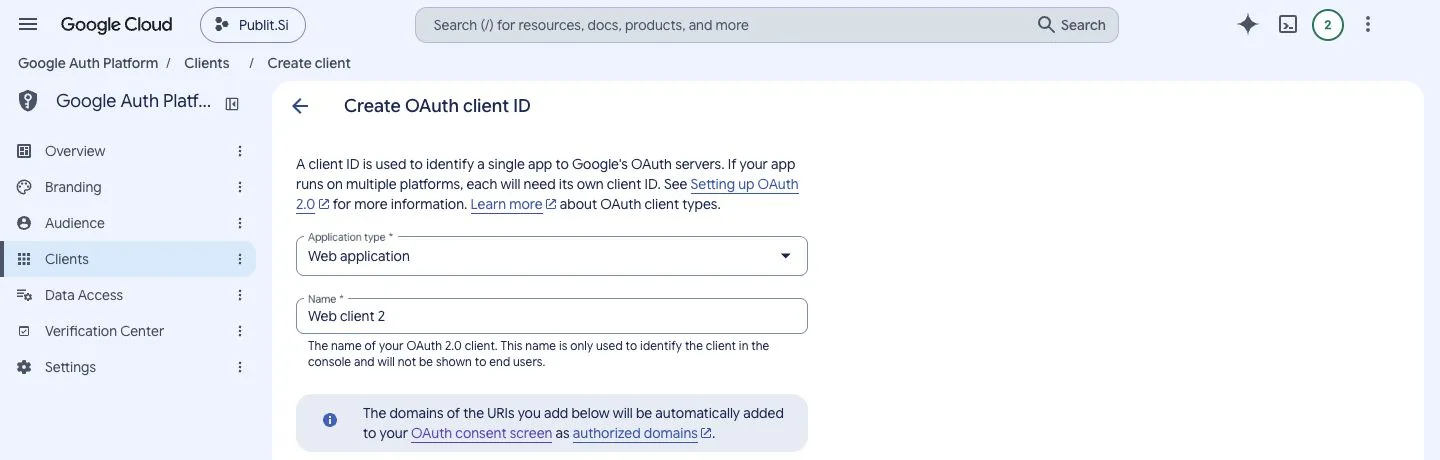
Google: Clients → Create client → application type Web application. The name is only for you.
- 1:Clients
- 2:Web application
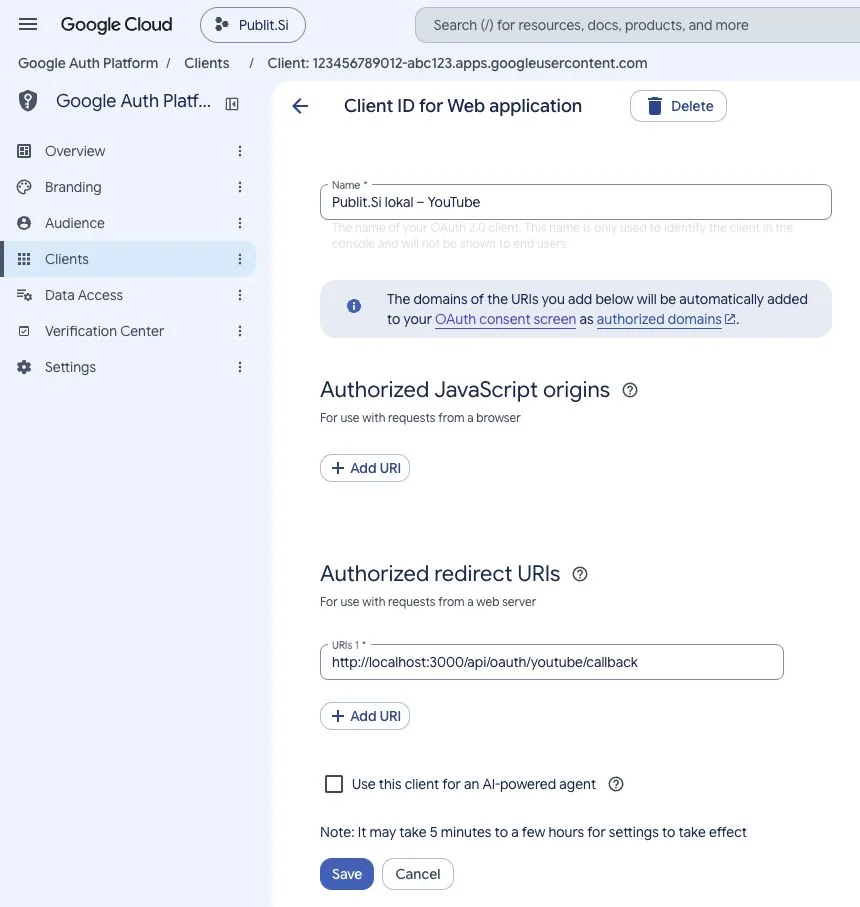
Authorized redirect URIs → + Add URI → paste it → Create. Leave Authorized JavaScript origins empty.
- 1:JavaScript origins: leave empty
- 2:Authorized redirect URIs
Google shows the Client ID and Client secret. Enter both in Publit.Si under Enter credentials, or in
.env:GOOGLE_CLIENT_ID=… GOOGLE_CLIENT_SECRET=…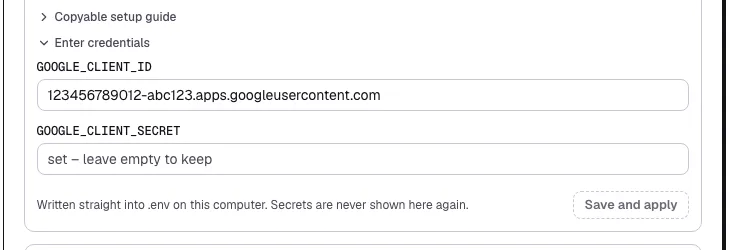
- 1:Client ID
- 2:Save and apply
.envfor you and restarts the services. Secrets are never shown again.
Connect your channel
Publit.Si → Accounts → Connect account → YouTube.
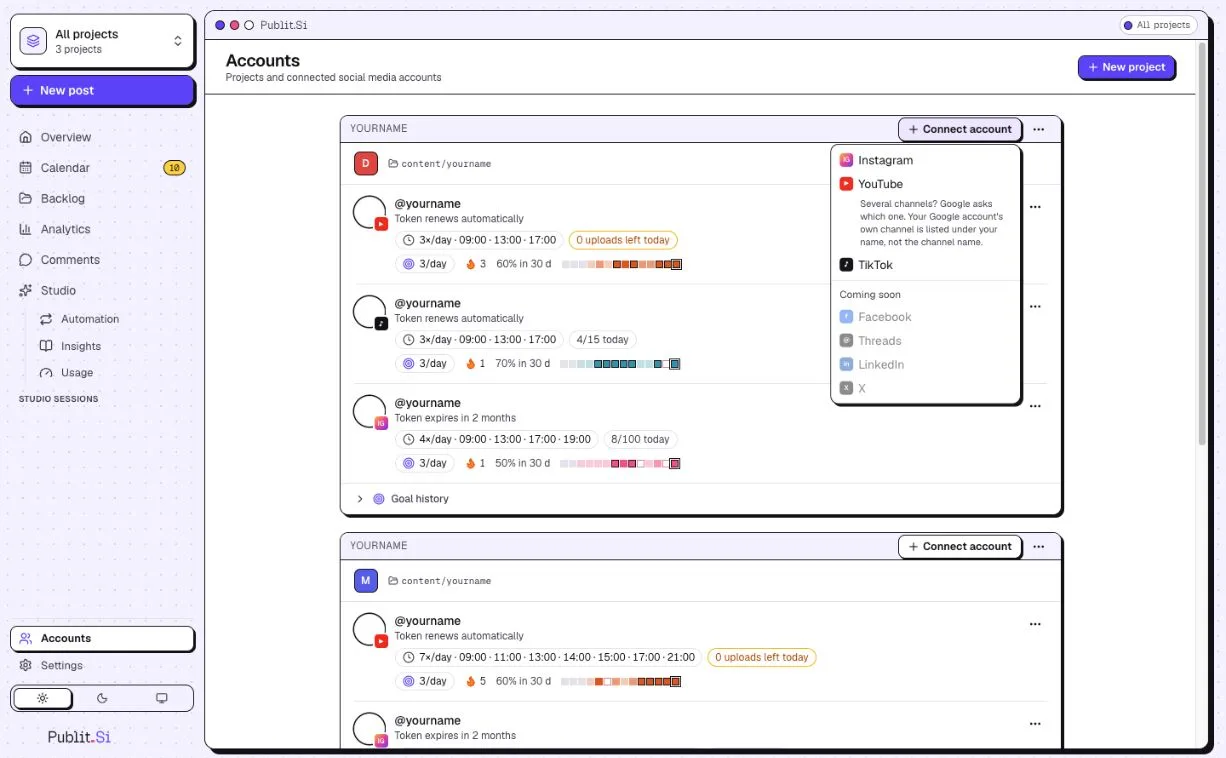
- 1:Connect account
- 2:YouTube
Publit.Si asks where to sign in: pick a Chrome profile or In this window.
Pick the Google account you added as a test user. Google warns “Google hasn't verified this app … currently being tested”: click Continue. It's your own app.
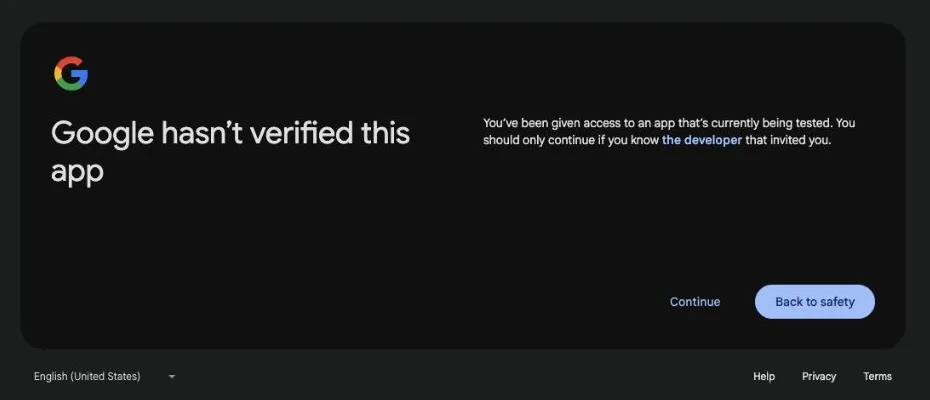
- 1:Continue
Google lists what Publit.Si may do, with three unticked YouTube boxes. Tick Select all → Continue. Without the upload permission Publit.Si can't post and says “Upload permission was not granted”. The note that Publit.Si's privacy policy isn't linked is normal in test mode.
Several channels? Google asks which one. Your own channel is listed under your name, not the channel name.
Optional: no weekly reconnect
Switch the project to production once and the 7-day limit is gone. Google only allows that when Branding has a homepage, privacy policy and terms on your own domain. Your gateway serves all three.
Make sure
PUBLITSI_OPERATOR_NAMEandPUBLITSI_OPERATOR_EMAILare set in.env(see Cloudflare tunnel). Openhttps://publish.example.com/privacyto check.Publit.Si → Settings › Platform setup › YouTube › Keep YouTube connected lists your exact values.
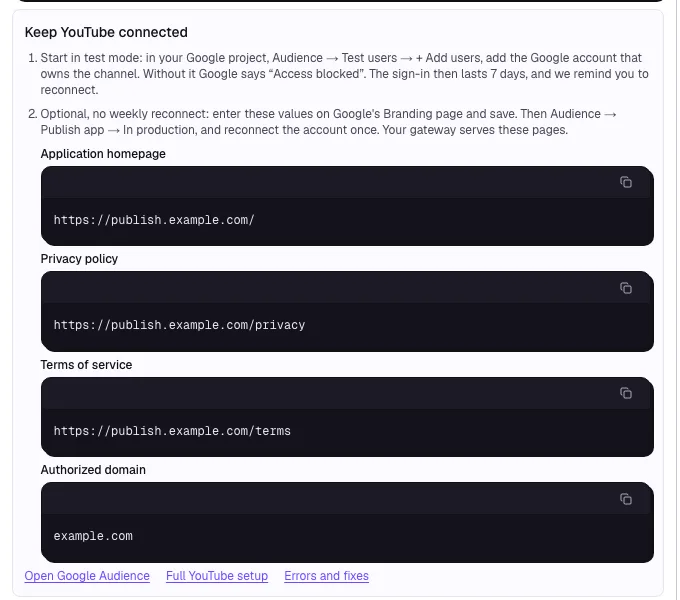
- 1:Test mode: add yourself as a test user
- 2:Production: values for Branding
Branding → App domain: Application home page
https://publish.example.com/, Application privacy policy linkhttps://publish.example.com/privacy, Application terms of service linkhttps://publish.example.com/terms. Authorized domains → + Add domain →example.com(nohttps://, neverlocalhost) → Save.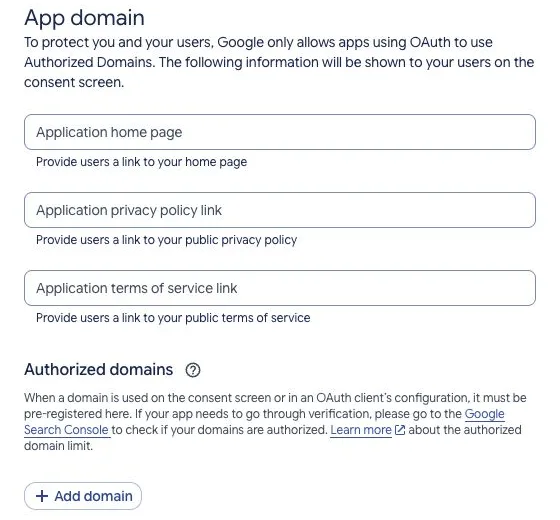
- 1:Home page, privacy, terms
- 2:Add domain
If Google asks you to verify the domain, do it in Google Search Console with the same Google account.
Audience → Publish app (greyed out until Branding is complete) → Confirm. Status becomes In production. For your own use (fewer than 100 users) Google needs no review.
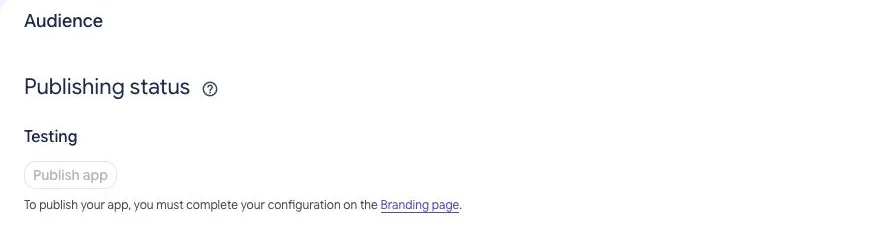
- 1:Testing
- 2:Publish app
Publit.Si → Accounts → open your YouTube account → Reconnect once. The warning now reads differently: Advanced → Go to … (unsafe). It's still your own app.
Test mode or production?
Test mode: Google ends the sign-in after 7 days, even though Publit.Si renews the short access token by itself. Reconnect, or switch to production.
Production: no 7-day limit. You only reconnect if you revoke access or Google asks you to sign in again.
Which one am I in? Publit.Si can't tell from the token, and a working connection doesn't prove it. Look at Google Auth Platform → Audience → Publishing status: Testing or In production.
Check
Settings › Platform setup › YouTube shows every item as set, and Accounts shows your channel after connecting.
Troubleshooting
redirect_uri_mismatch- The redirect URI in the dashboard must match exactly, including
http/httpsand port. - YouTube: "Access blocked: Google's review of … was not completed" (
403 access_denied) - Your Google project is in test mode and your account isn't on the list yet. In your own Google project: Audience → Test users → + Add users, add the Google account you connect with, save and connect again (step 5.2). No Branding, domain or publishing is needed for this. The sign-in then lasts 7 days; to skip the weekly reconnect see step 5, "YouTube without the weekly reconnect".
- YouTube: "Publish app" is disabled and asks to complete Branding
- You only need this to skip the weekly reconnect; as a test user you can connect right away. Google wants a homepage, privacy policy and terms on your own domain. With the Cloudflare tunnel (step 3), your gateway serves all three: https://your-host/, /privacy and /terms. Add your domain under Authorized domains and save. See step 5, "YouTube without the weekly reconnect".
- YouTube: "Google hasn't verified this app"
- In test mode Google shows “You've been given access to an app that's currently being tested”: choose Continue. In production the unverified app shows Advanced → Go to … (unsafe). Both are fine for the project you created yourself. This warning differs from the blocked 403 screen, which needs a test-user entry in Testing.
- YouTube asks to sign in again after a week
- In Google's test mode the sign-in ends after 7 days. Reconnect, or switch your Google project to production (step 5, "YouTube without the weekly reconnect") and reconnect once.
- YouTube: upload permission denied,
insufficientPermissionsor uploads ahead need reconnecting - Reconnect the account. On Google's permission screen the three YouTube boxes start unticked: tick Select all, then Continue. Uploading ahead with YouTube publishing later also needs permission to manage the uploaded video; without it, Publit.Si uploads at the scheduled time. For partial statistics, check the enabled APIs and granted permissions. If Google offers no way to grant access, inspect the policy or verification message rather than repeating the connection.
- YouTube:
quotaExceededoruploadLimitExceeded - Check Settings → Limits today and the Google project's API quotas. Connected channels using the same project share its project quota; channels may also have their own upload limits. Publit.Si waits and retries rate-limited work. Project daily quotas reset at midnight Pacific Time; a channel limit may need a separate wait. Reconnecting does not raise a quota.
Stuck? Search the troubleshooting list or write to us . Leave out secrets and tokens.