
Installation
Start Publit.Si
Publit.Si runs four small services: the app, a worker that posts on time, the gateway and the tunnel. Let them start with your computer, or start them by hand.
Start automatically (recommended)
In the
publitsifolder:pnpm ops:installIt builds the app and starts everything at every login. Publit.Si opens at localhost:3000 once it's ready.
Mac: LaunchAgents. Windows: tasks in the Task Scheduler (folder
PublitSi) that run without a window and restart if they crash. Linux: systemd user services; check them withsystemctl --user status 'publitsi-*'.To remove them again:
pnpm ops:uninstall.
Or start by hand
Run
pnpm dev, open localhost:3000, go to Settings › Status and click Start all.
Check the status
Settings › Status shows worker, gateway and tunnel. All green means Publit.Si can post.
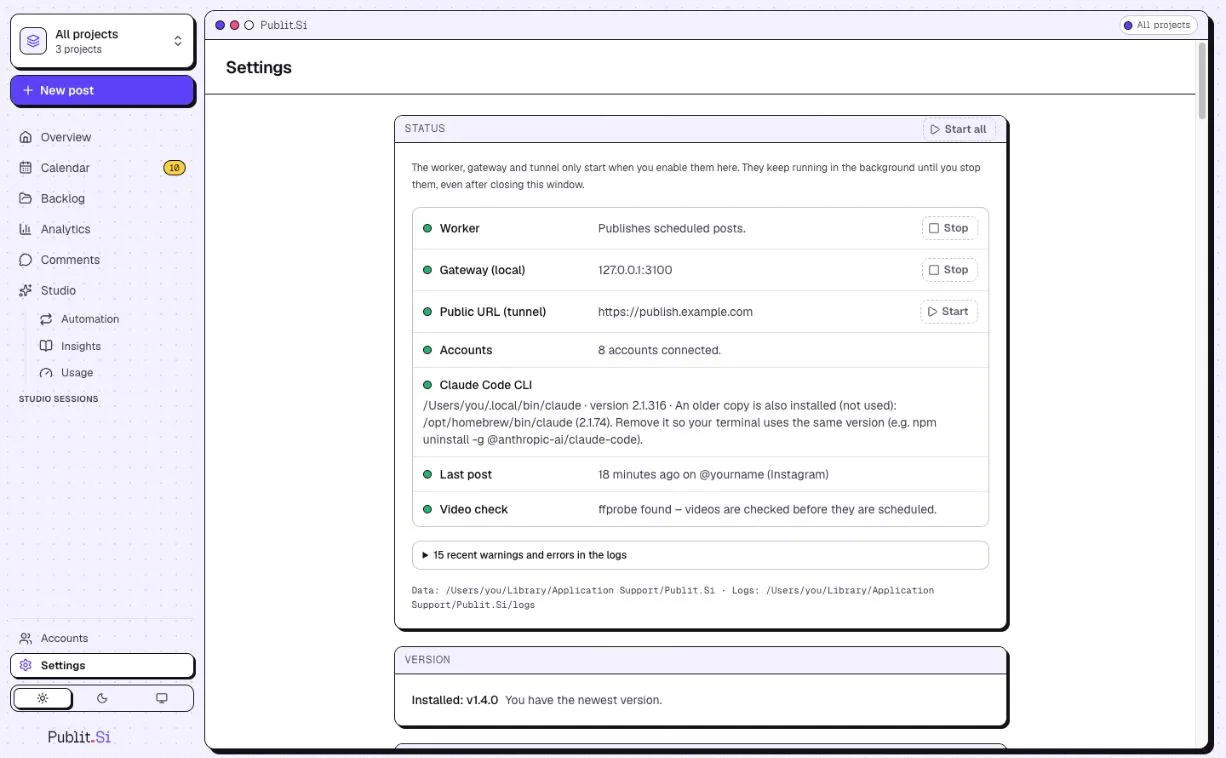
- 1:Worker
- 2:Public URL (tunnel)
On the Mac, the first notification asks whether “PublitSi” may send notifications. Click Allow.
Want to look around first? The Overview offers Explore with demo data. It never posts anything real; Remove demo takes it away.
Use another port
Publit.Si opens at port 3000. When another program already uses that port, pick another one in the app.
Open [127.0.0.1:3000](http://127.0.0.1:3000), then Settings › General › Address.
Enter a free Port from 1024 to 65535 and click Save and restart.
Publit.Si saves it and starts again on the new port. The page follows by itself. Links in notifications and sign-ins use the new address.
YouTube and the blog's Search Console sign in through this address. Update their redirect URIs in Google Cloud: Settings › Platform setup shows the new ones.
Check
Settings › Status shows worker, gateway and tunnel in green (YouTube only: the tunnel may stay off). After changing .env, run pnpm ops:install again.
Troubleshooting
- Windows:
pnpm ops:installcan't create a task - Run it in a normal (not elevated) PowerShell as the user who should run Publit.Si.
- Linux:
systemctl --usersays "Failed to connect to bus" - Log in as that user directly (desktop or
ssh user@server), not viasu/sudo -u. Proxmox/LXC:pct enterlogs you in as root – create a normal user and SSH in as that user (see "Linux server"). Without systemd, runpnpm devandpnpm servicesyourself (e.g. in tmux). - Linux: services stop when you log out, or don't start after a reboot
- Run
sudo loginctl enable-linger $USERonce (step 7). - Migration says the database is busy
- Stop
pnpm devand close old Claude Code, Codex, Cursor or OpenCode sessions; the command lists the processes. localhost:3000shows "404 – not found" or another app- Another program uses port 3000 too. Open
http://127.0.0.1:3000, then pick another port under Settings › General › Address – Publit.Si restarts on it. With an autostart from before v1.6.1, runpnpm ops:installonce. Update the YouTube and Search Console redirect URIs in Google Cloud afterwards. - Tunnel stays red
- Check
~/.cloudflared/publitsi.yml(UUID, credentials file, hostname) andPUBLITSI_PUBLIC_URL. With Tailscale Funnel:tailscale funnel statusmust list port 3100 and the same address asPUBLITSI_PUBLIC_URL.
Stuck? Search the troubleshooting list or write to us . Leave out secrets and tokens.