
Connect YouTube
You create your own Google project; no invitation from Publit.Si is needed. Start in test mode: it works in minutes and needs no domain, and you reconnect every 7 days. With the tunnel from step 3 you can later switch to production and skip the weekly reconnect.
You need
- A Google account that owns your YouTube channel (or manages the Brand Account)
- Nothing else for test mode. For production: the tunnel from step 3
Create the project and enable the APIs
Open console.cloud.google.com → project picker at the top → New project. Any name works, for example “Publit.Si”.
APIs & Services → Library → search YouTube Data API v3 → Enable.
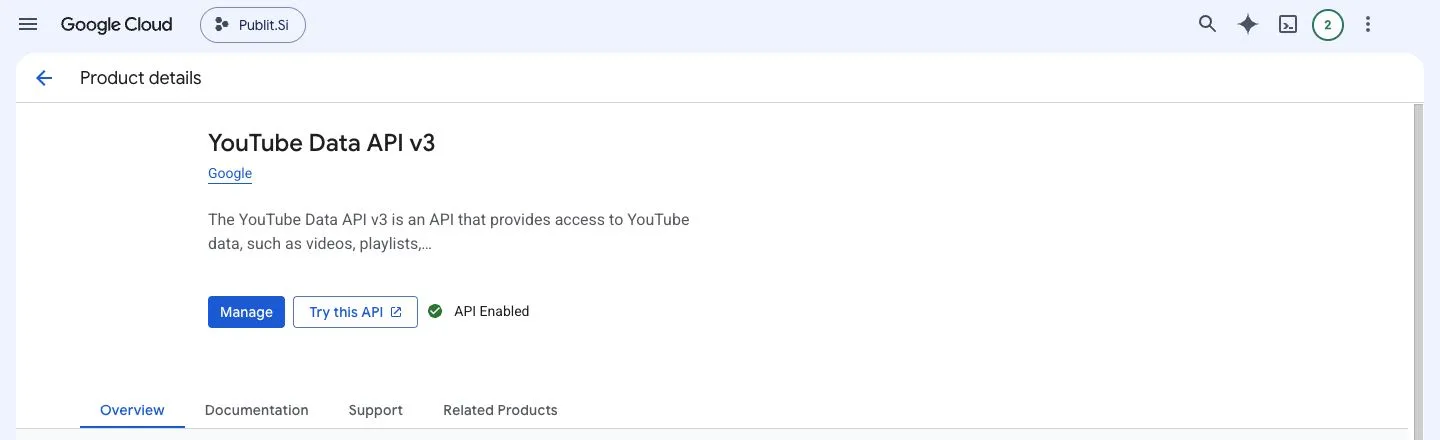
- 1:Enable / Manage
Do the same for YouTube Analytics API if you want watch time. Without it everything else still works.
Name your app
Open Google Auth Platform (older menus: APIs & Services → OAuth consent screen). Click Get started if Google asks.
Branding: app name (e.g. “Publit.Si”), your User support email and your Developer contact email → Save. A logo is optional.
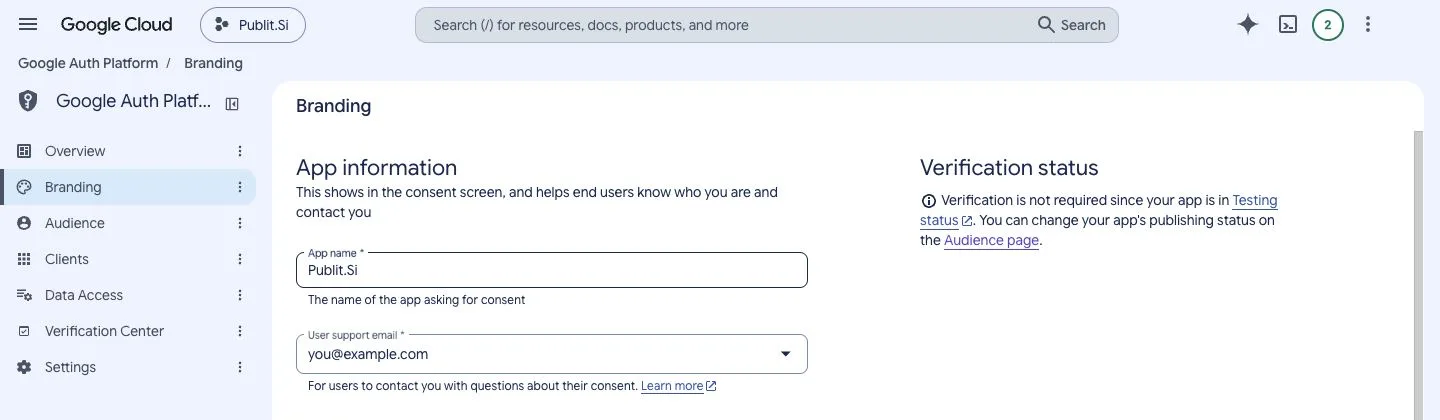
- 1:Branding
- 2:App name
- 3:User support email
Audience: user type External.
That's all of Branding you need for test mode. The App domain links are only for production (below). A working client or connection doesn't mean production: Audience → Publishing status tells you.
Add yourself as a test user
This is the step people miss. Without it Google shows “Access blocked” with “Error 403: access_denied”.
Audience → Test users → + Add users.
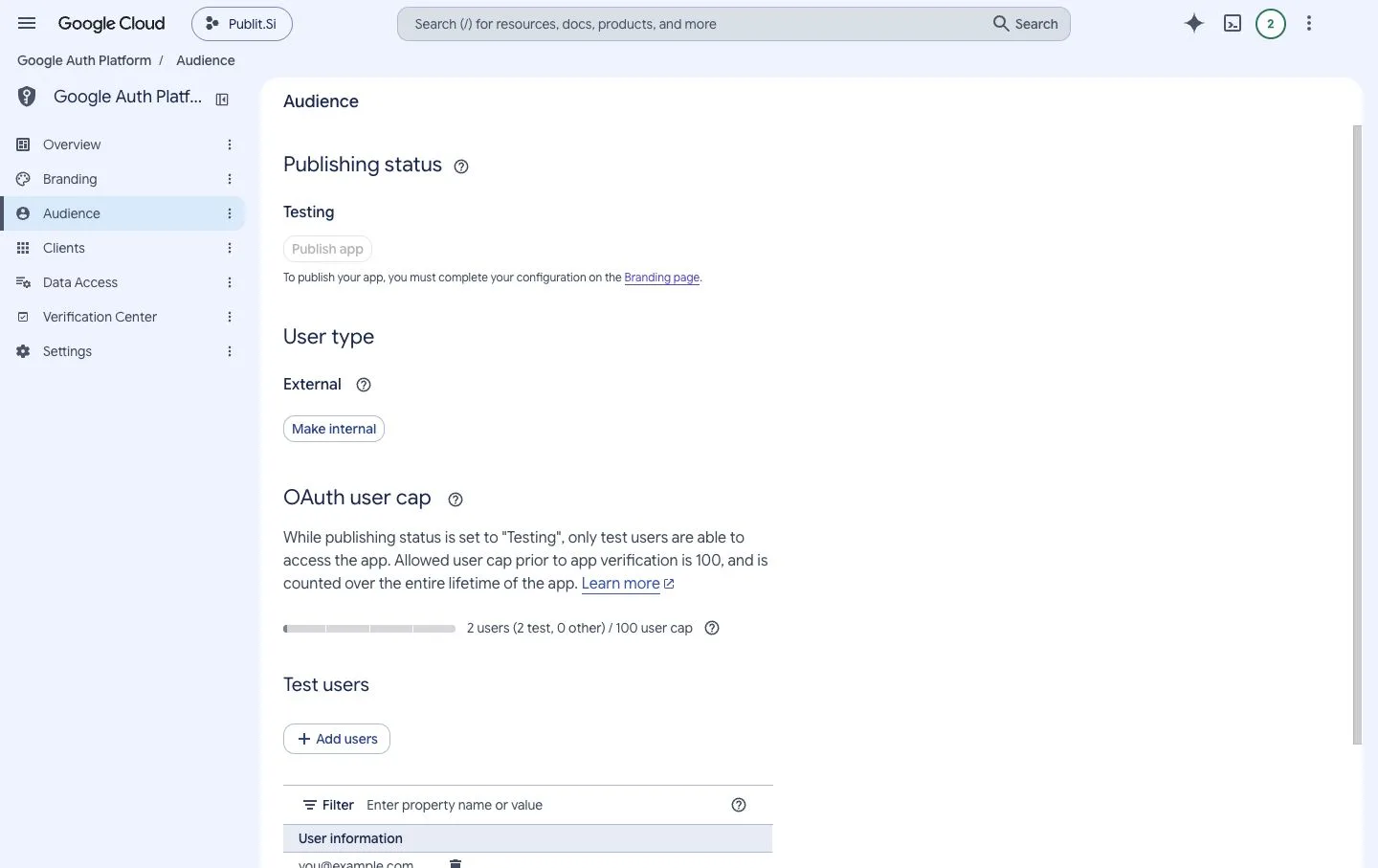
- 1:Testing
- 2:External
- 3:Add users
Enter the Google account that owns your YouTube channel. For a Brand Account, the Google account that manages it. → Save.
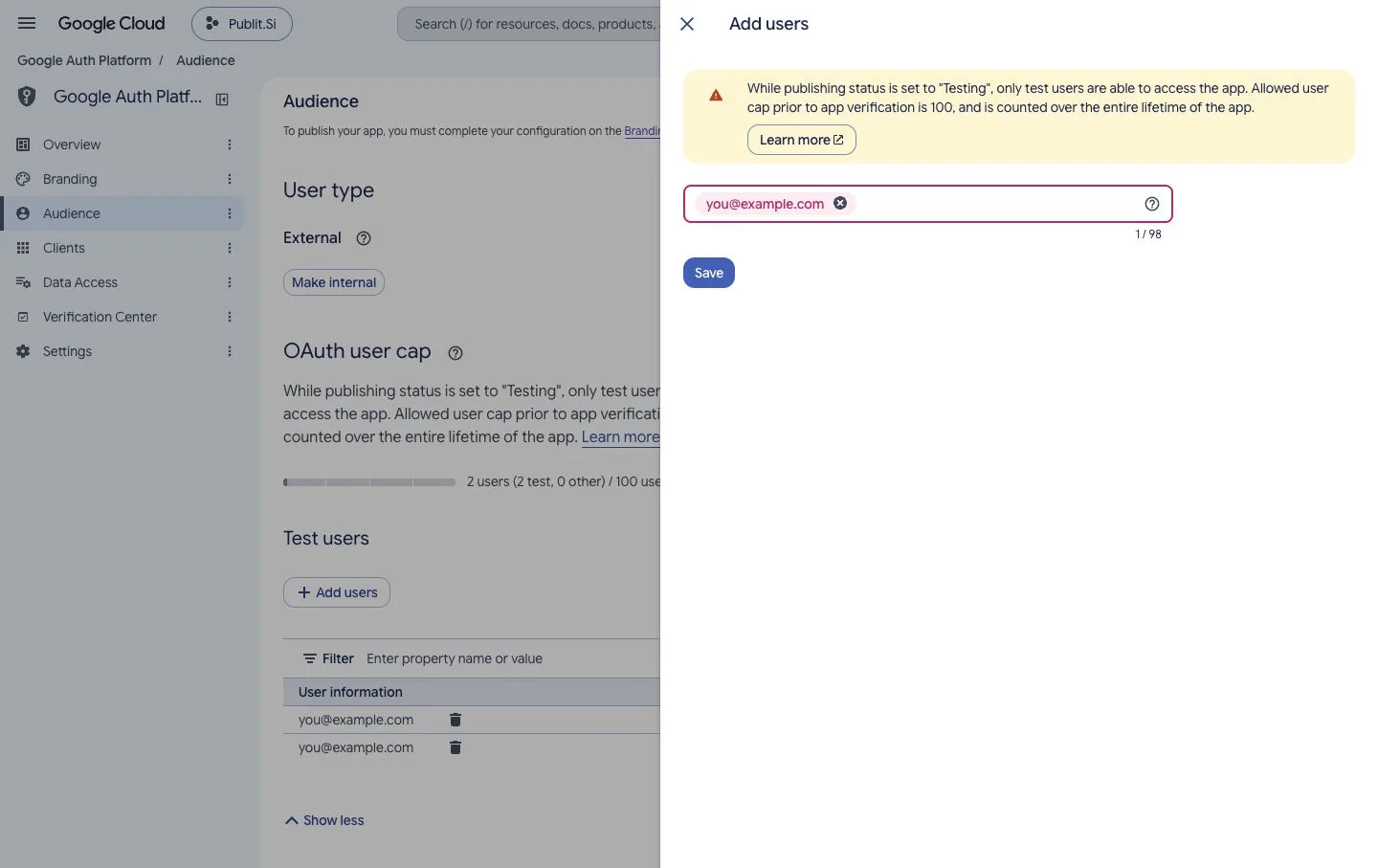
- 1:Your Google account
- 2:Save
Being the project owner is not enough; you must be on this list. You don't need Branding links, a domain or “Publish app” for test mode.
Create the OAuth client
In Publit.Si, open Settings › Platform setup › YouTube and copy the redirect URI, usually
http://localhost:3000/api/oauth/youtube/callback.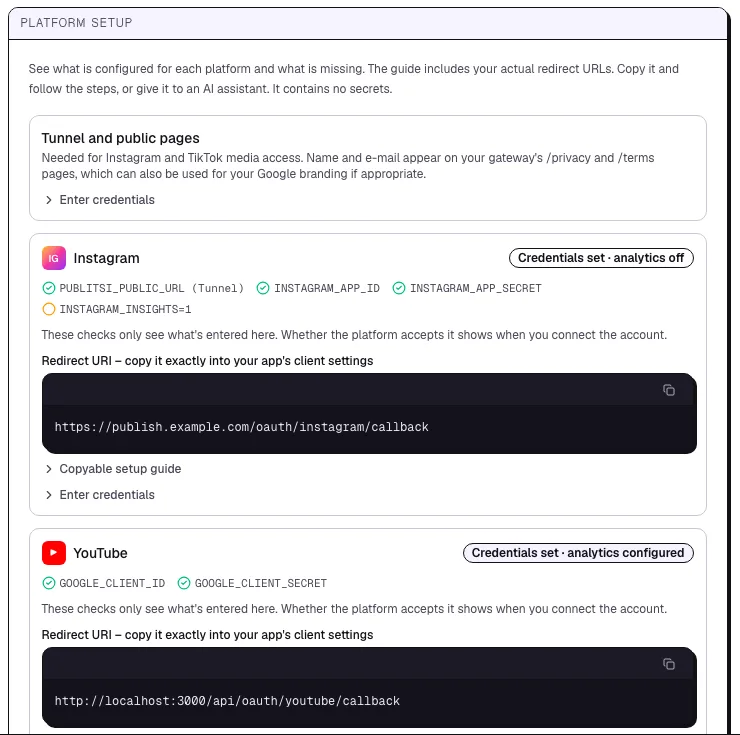
- 1:Status of the platform
- 2:Redirect URI to copy
Google: Clients → Create client → application type Web application. The name is only for you.
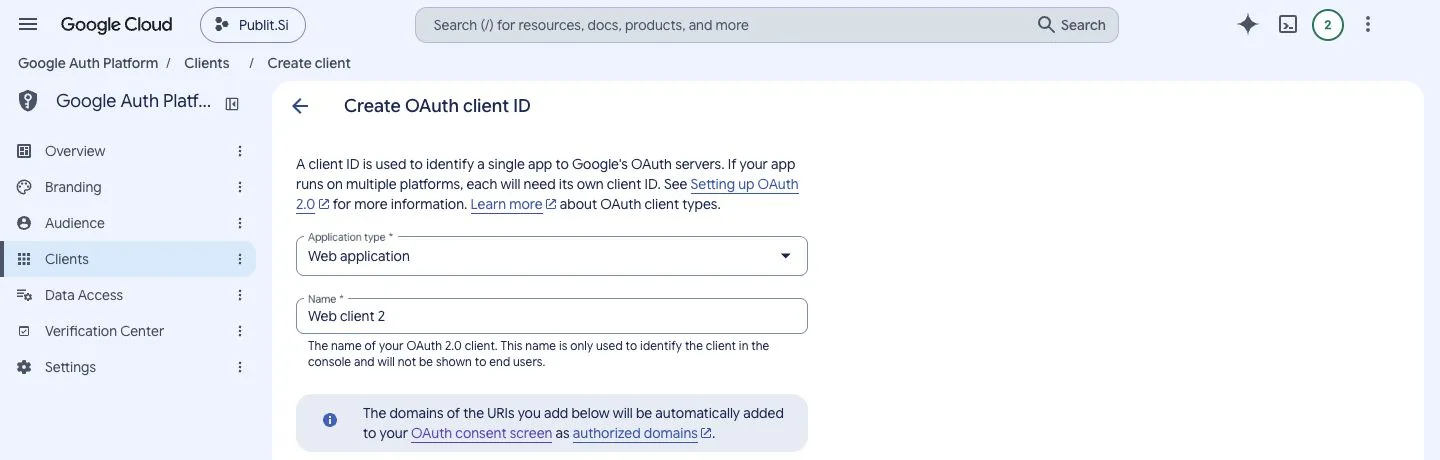
- 1:Clients
- 2:Web application
Authorized redirect URIs → + Add URI → paste it → Create. Leave Authorized JavaScript origins empty.
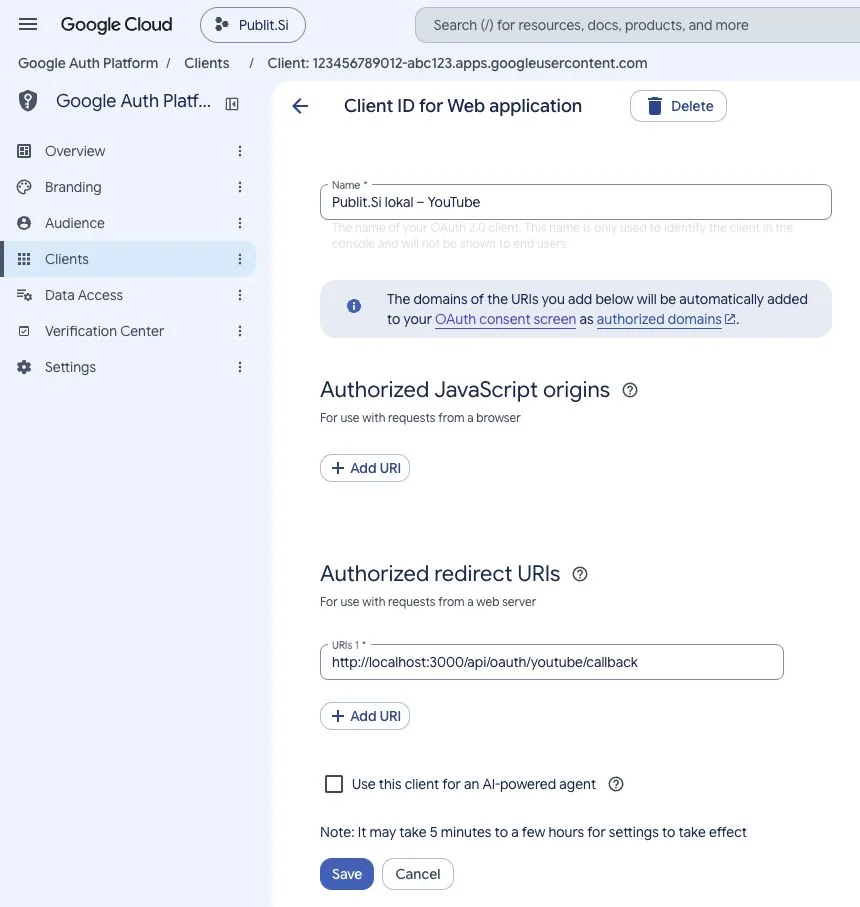
- 1:JavaScript origins: leave empty
- 2:Authorized redirect URIs
Google shows the Client ID and Client secret. Enter both in Publit.Si under Enter credentials, or in
.env:GOOGLE_CLIENT_ID=… GOOGLE_CLIENT_SECRET=…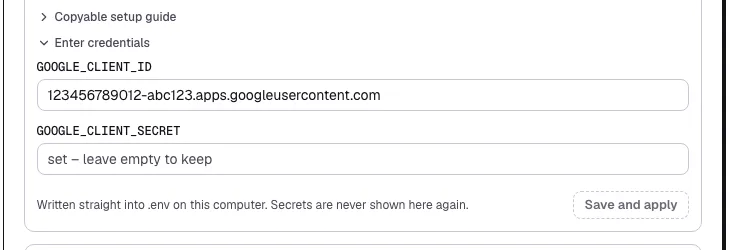
- 1:Client ID
- 2:Save and apply
.envfor you and restarts the services. Secrets are never shown again.
The localhost address belongs only here, never under Branding → Authorized domains. It needs no domain or tunnel.
Connect your channel
Publit.Si → Accounts → Connect account → YouTube.
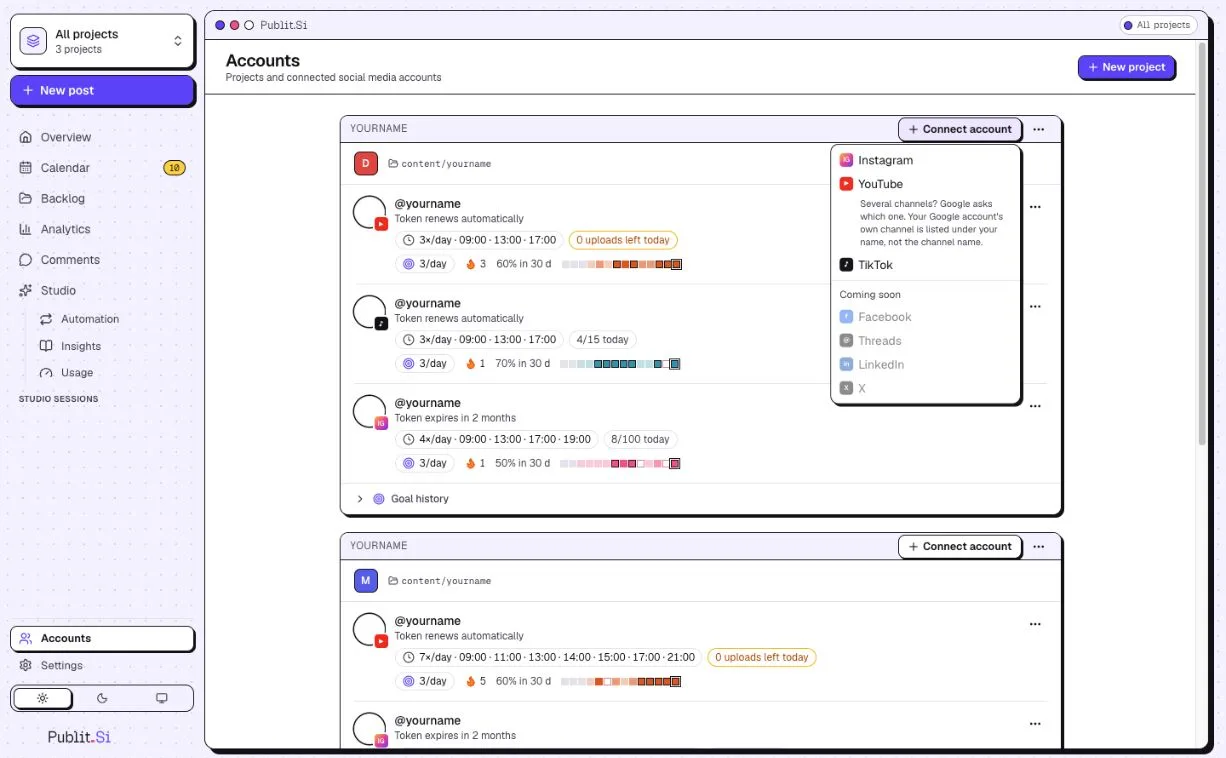
- 1:Connect account
- 2:YouTube
Publit.Si asks where to sign in: pick a Chrome profile or In this window.
Pick the Google account you added as a test user. Google warns “Google hasn't verified this app … currently being tested”: click Continue. It's your own app.
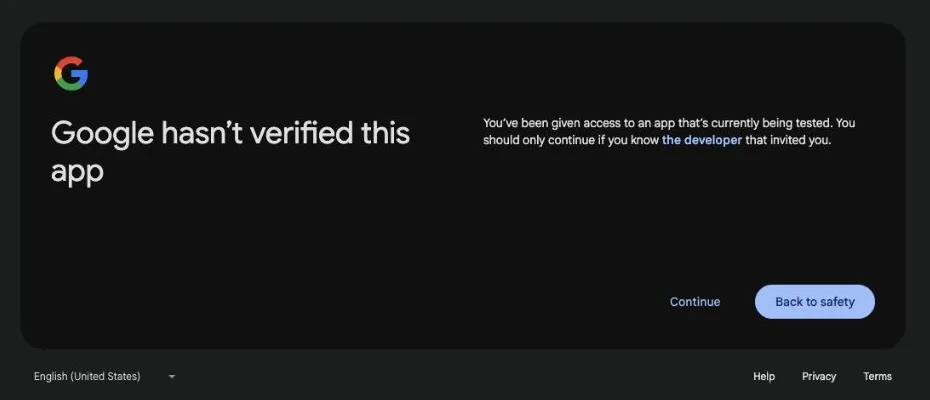
- 1:Continue
Several channels? Google asks which one. Your own channel is listed under your name, not the channel name.
Done. In test mode Google ends the sign-in after 7 days; Publit.Si reminds you to reconnect.
Optional: no weekly reconnectNeeds the tunnel
Switch the project to production once and the 7-day limit is gone. Google only allows that when Branding has a homepage, privacy policy and terms on your own domain. Your gateway serves all three.
Make sure
PUBLITSI_OPERATOR_NAMEandPUBLITSI_OPERATOR_EMAILare set in.env(step 3). Openhttps://publish.example.com/privacyto check.Publit.Si → Settings › Platform setup › YouTube › Keep YouTube connected lists your exact values.
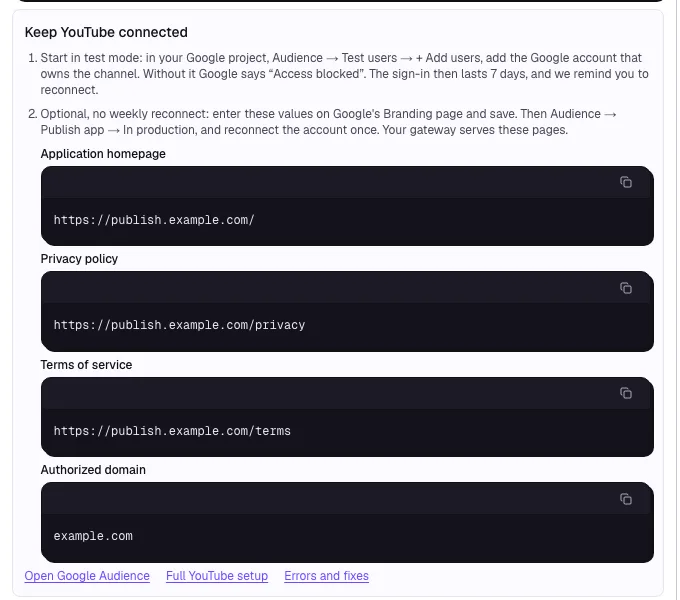
- 1:Test mode: add yourself as a test user
- 2:Production: values for Branding
Branding → App domain: homepage
https://publish.example.com/, privacy policyhttps://publish.example.com/privacy, termshttps://publish.example.com/terms. Authorized domains → + Add domain →example.com(nohttps://, neverlocalhost) → Save.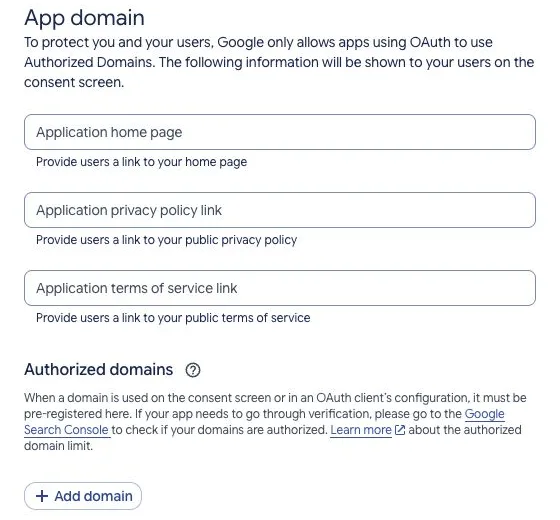
- 1:Home page, privacy, terms
- 2:Add domain
If Google asks you to verify the domain, do it in Google Search Console with the same Google account.
Audience → Publish app (greyed out until Branding is complete) → Confirm. Status becomes In production. For your own use (fewer than 100 users) Google needs no review.
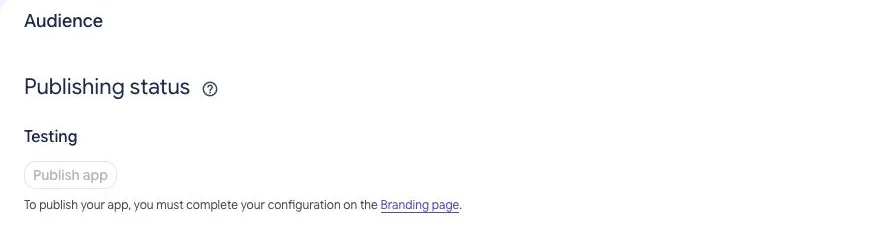
- 1:Testing
- 2:Publish app
Publit.Si → Accounts → open your YouTube account → Reconnect once. The warning now reads differently: Advanced → Go to … (unsafe). It's still your own app.
Test mode or production?
Test mode: Google ends the sign-in after 7 days, even though Publit.Si renews the short access token by itself. Reconnect, or switch to production.
Production: no 7-day limit. You only reconnect if you revoke access or Google asks you to sign in again.
Which one am I in? Publit.Si can't tell from the token, and a working connection doesn't prove it. Look at Google Auth Platform → Audience → Publishing status: Testing or In production.
To reconnect, use Accounts → open the account → Reconnect. Don't disconnect first: that cancels scheduled posts.
Check
Settings › Platform setup › YouTube shows every item as set, and Accounts shows your channel after connecting.
Common problems
Stuck? Write to us. We're happy to help. Leave out secrets and tokens.