
Open a tunnel with Cloudflare
Instagram and TikTok download your media from a public HTTPS address. A Cloudflare Tunnel makes only the small Publit.Si gateway reachable, never the app itself. The same address also gives Google the homepage, privacy and terms pages it wants for YouTube production.
You need
- A domain on Cloudflare (free plan), shown as Active
cloudflaredfrom step 2- Only needed for Instagram, TikTok, or YouTube without the weekly reconnect
Check your domain
Open the Cloudflare dashboard → Domains → Overview. Your domain must show Active. If you just moved it, wait: usually under an hour, sometimes up to 24 hours.
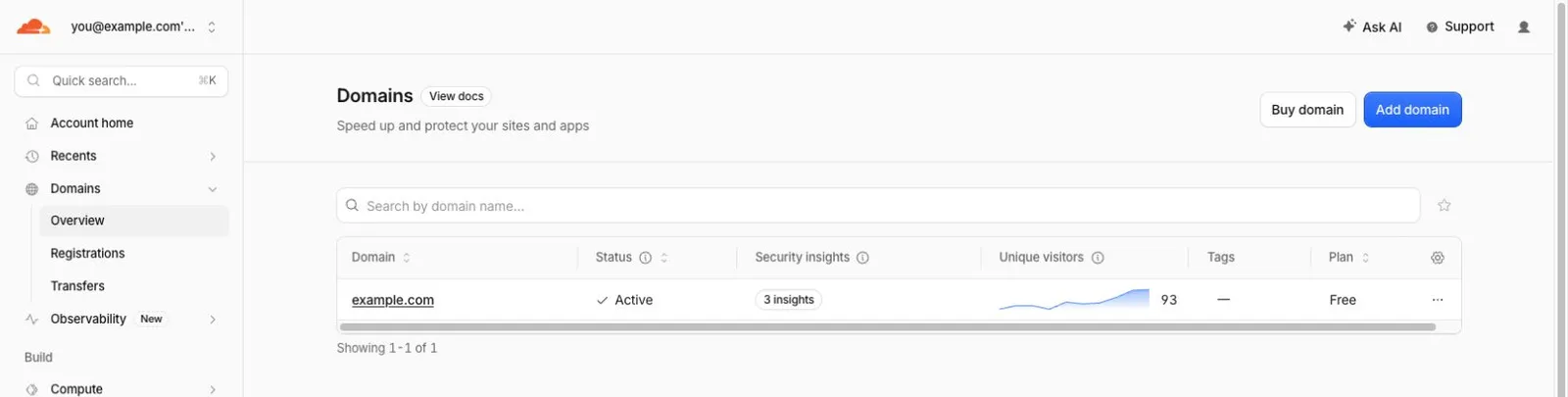
- 1:Domains › Overview
- 2:Active
Pick a subdomain for Publit.Si, for example
publish.example.com. It must not exist yet.
Create the tunnel
Sign in. A browser window opens; pick your domain there:
cloudflared tunnel loginCreate the tunnel. Note the tunnel UUID it prints:
cloudflared tunnel create publitsiPoint your subdomain at the tunnel. Cloudflare → DNS → Records then lists it with type Tunnel (a CNAME to
…cfargotunnel.com):cloudflared tunnel route dns publitsi publish.example.com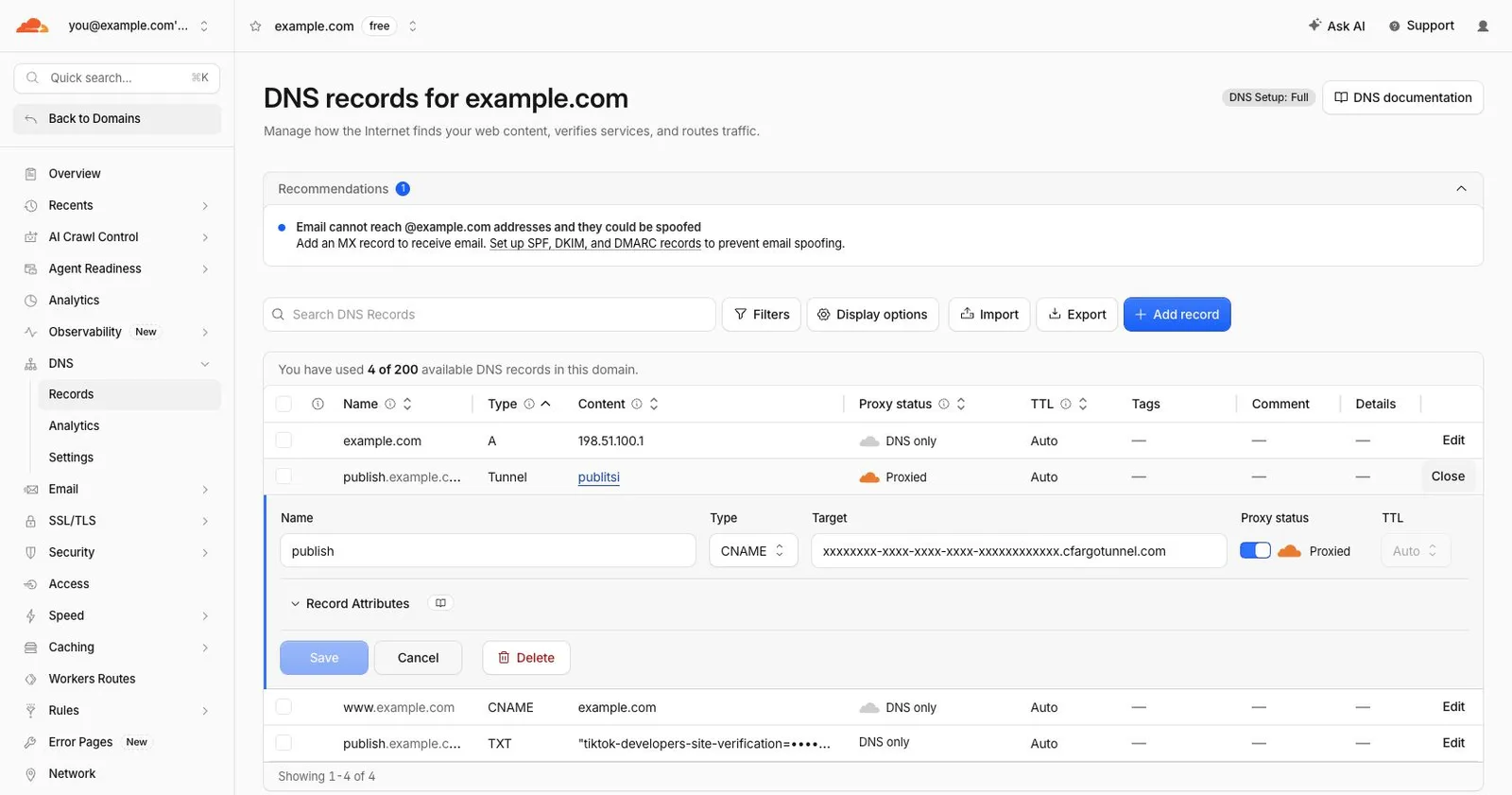
- 1:Type Tunnel
- 2:CNAME → …cfargotunnel.com
cloudflared tunnel route dns, your subdomain shows type Tunnel. Opened, it's a CNAME to…cfargotunnel.com.Copy the config template (Windows:
Copy-Item ops\cloudflared\publitsi.yml.example $HOME\.cloudflared\publitsi.yml):cp ops/cloudflared/publitsi.yml.example ~/.cloudflared/publitsi.ymlOpen
~/.cloudflared/publitsi.ymland replace<TUNNEL-UUID>(twice),/Users/<you>(Windows:C:/Users/<you>, Linux:/home/<you>) andpublish.example.com.
Tell Publit.Si its address
Add these lines to
.env:PUBLITSI_PUBLIC_URL=https://publish.example.com PUBLITSI_OPERATOR_NAME=Your name or company PUBLITSI_OPERATOR_EMAIL=you@example.comName and email appear on your gateway's public
/privacyand/termspages. Meta, Google and TikTok look at them when they check your app.
Turn off Bot Fight Mode
Cloudflare → your domain → Security → Settings → search “Bot fight mode” → switch it off (older dashboards: Security → Bots). Otherwise Meta's crawler can't load your media.
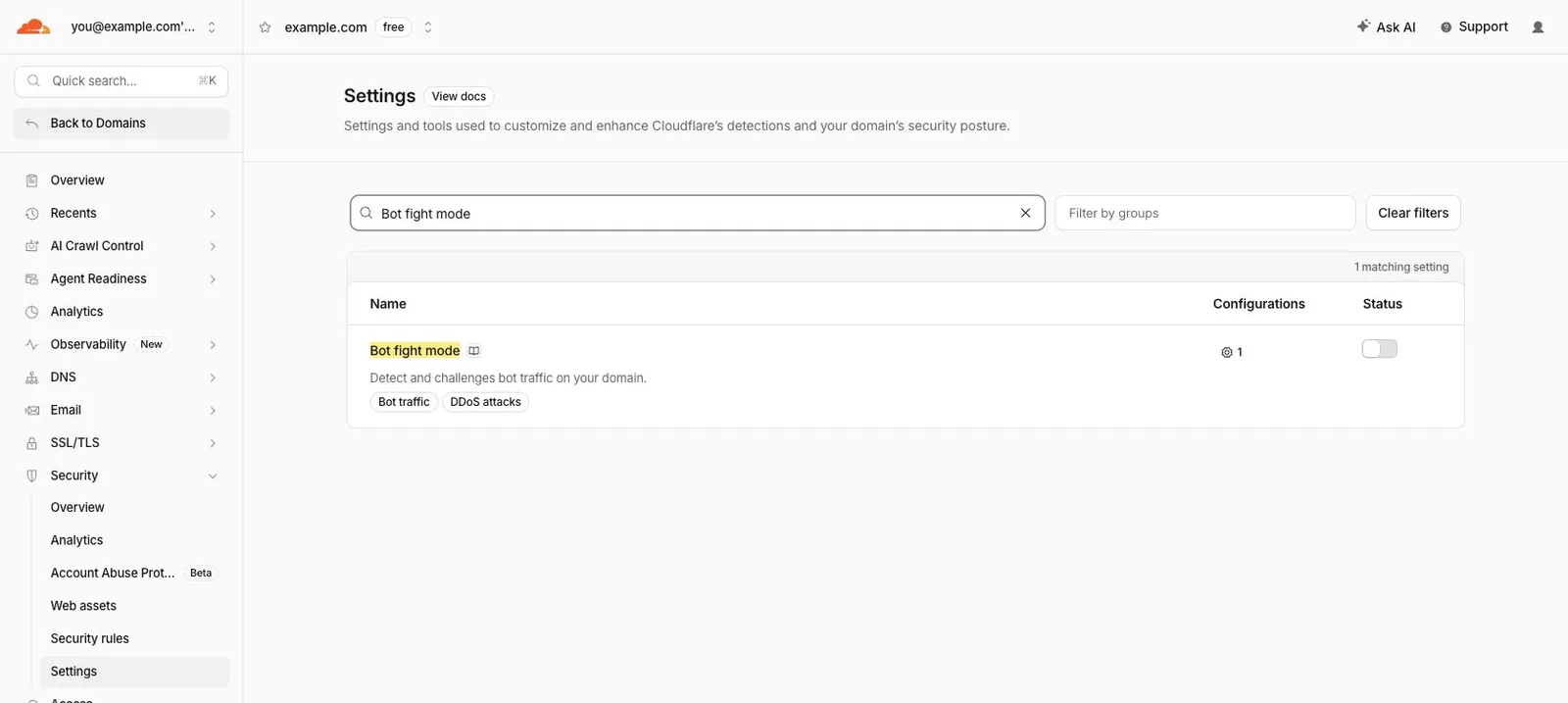
- 1:Security › Settings
- 2:Search “Bot fight mode”
- 3:Off
Check
After step 7, Settings › Status shows the tunnel in green, and https://publish.example.com/privacy opens your privacy page.
Common problems
Stuck? Write to us. We're happy to help. Leave out secrets and tokens.