Connect TikTok
Until TikTok audits your app, posts through its API can only be private (Only me). So public video posts go through TikTok Studio: at the scheduled time Publit.Si opens it in Chrome, the extension fills in video and caption, and you click Post.
You need
- The tunnel from step 3
- A TikTok account and a login for developers.tiktok.com
- A 1024×1024 icon for the app (any image of yours)
- Google Chrome
Create the TikTok app and sandbox
Open developers.tiktok.com → Manage apps → Connect an app, platform Web.
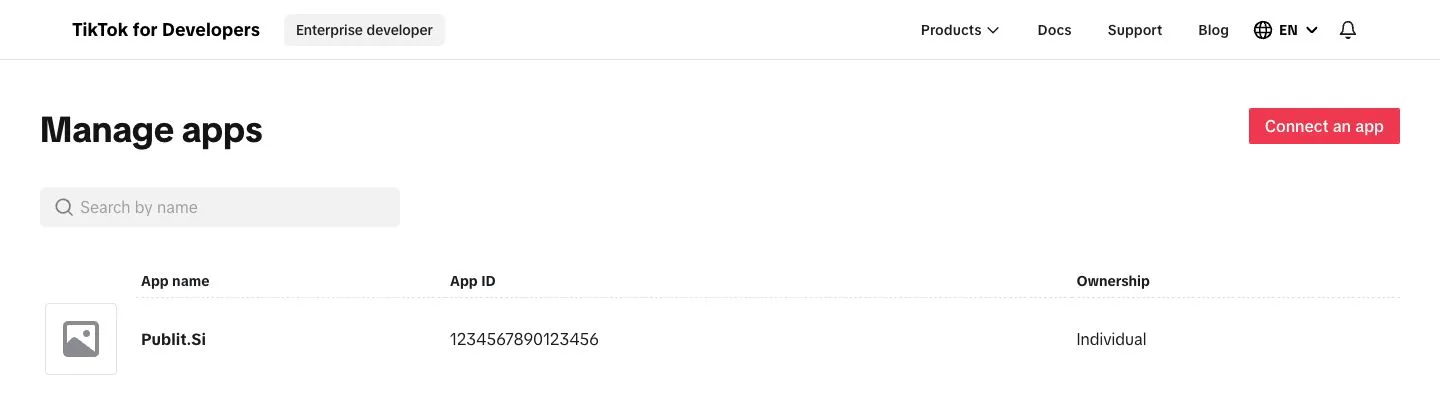
- 1:Connect an app
- 2:Your app
Create a sandbox for the app. It needs the icon, a category and privacy and terms URLs: use
https://publish.example.com/privacyandhttps://publish.example.com/terms. Your gateway serves them.
Add products and scopes
Switch to Sandbox → Products → Add products: Login Kit and Content Posting API (turn on Direct Post). Only for statistics also Display API.
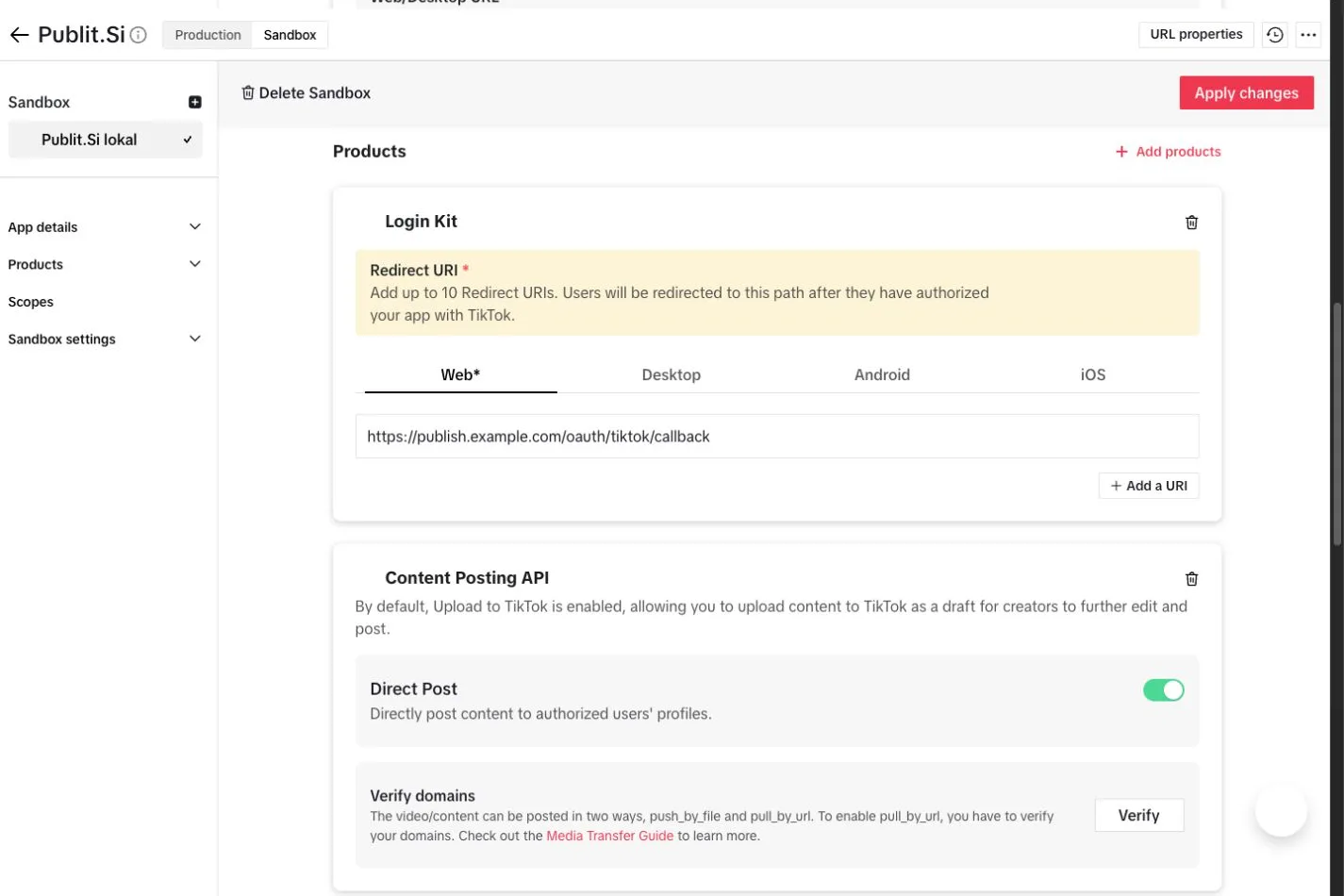
- 1:Sandbox
- 2:Login Kit
- 3:Content Posting API
- 4:Direct Post
Scopes:
user.info.basic,user.info.profile,video.upload,video.publish. For statistics (TIKTOK_ANALYTICS=1) alsouser.info.statsandvideo.list;video.listcomes with Display API.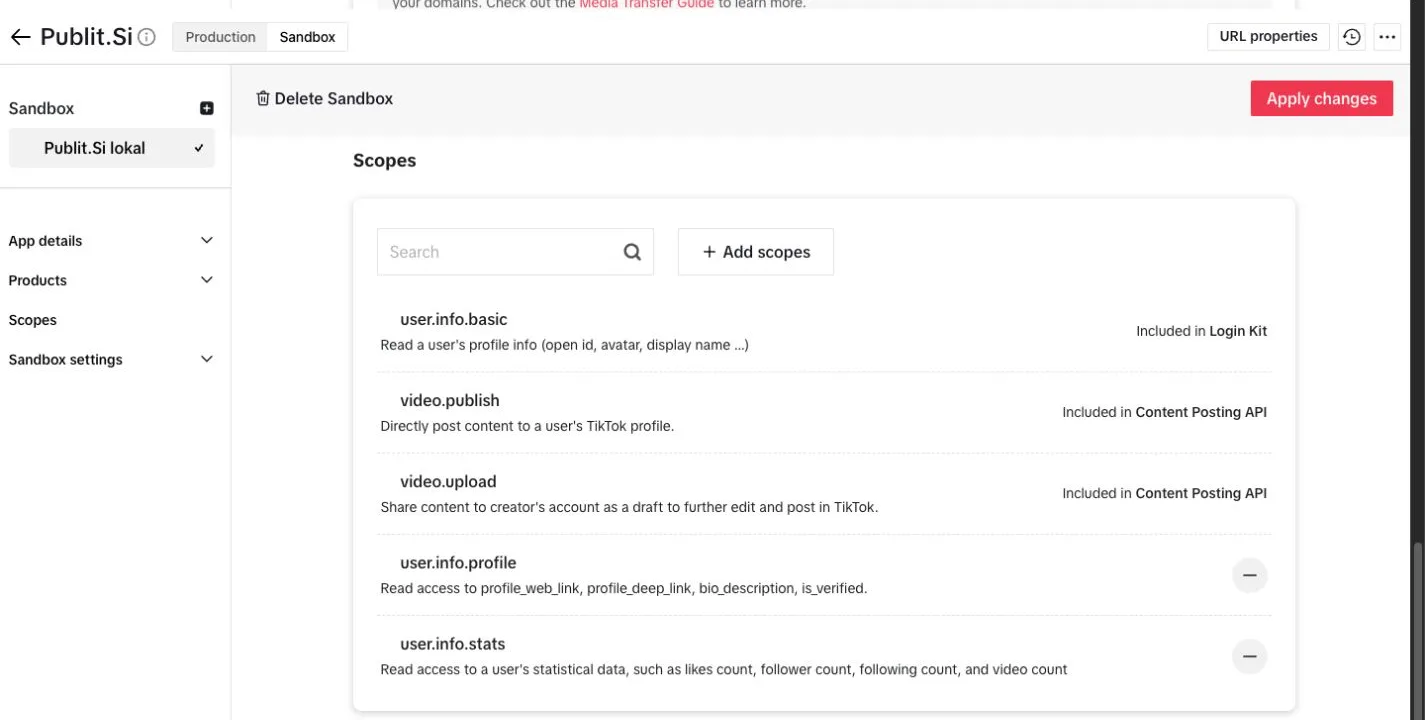
- 1:user.info.basic
- 2:video.publish
- 3:video.upload
user.info.statsandvideo.list(Display API).
Set the redirect URI and test user
Copy the redirect URI from Publit.Si › Settings › Platform setup › TikTok, e.g.
https://publish.example.com/oauth/tiktok/callback. Login Kit → Redirect URI → Web → paste it.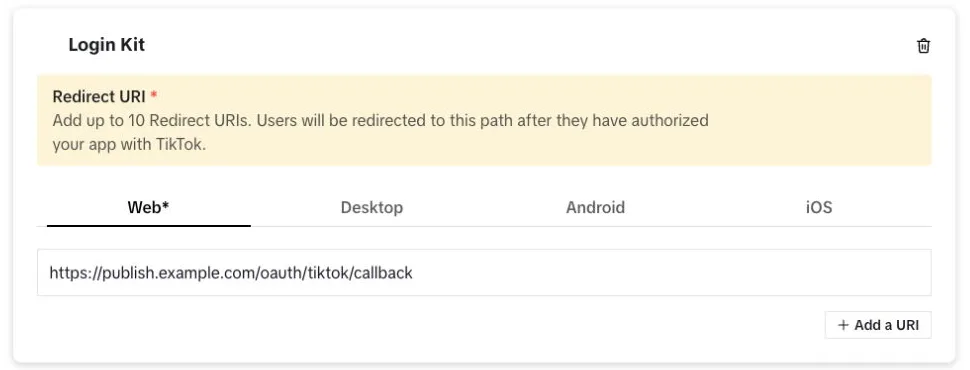
- 1:Web
- 2:Redirect URI
Sandbox settings → Target Users → Add account: your TikTok account.
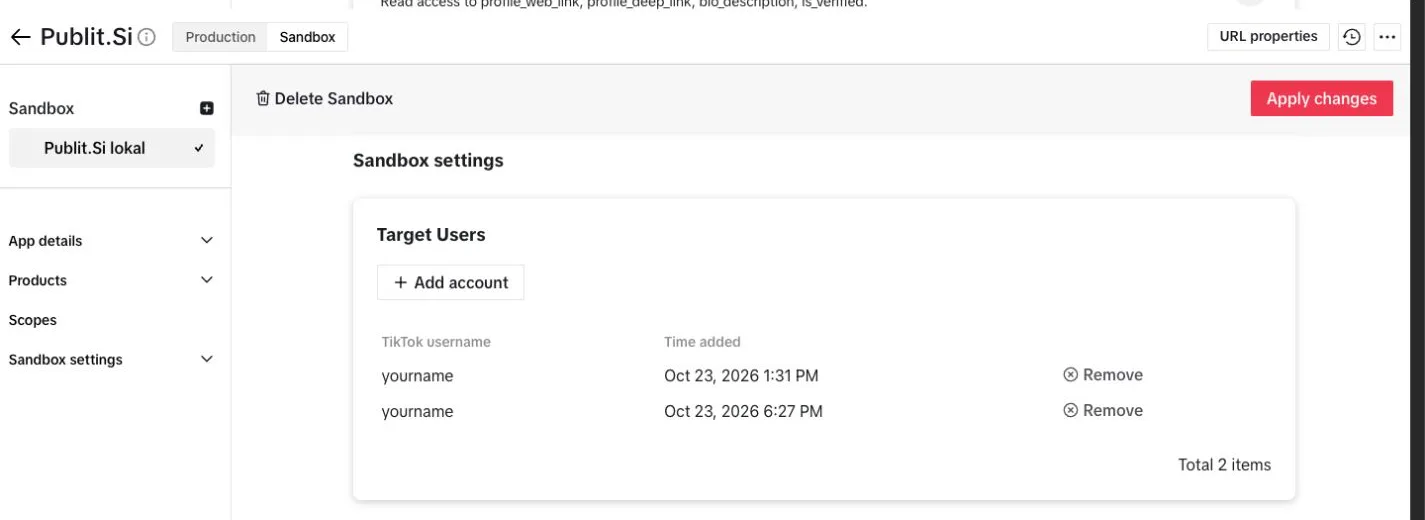
- 1:Sandbox settings
- 2:Add account
Click Apply changes (top right). Sandbox changes only count after that.
Photo posts only: under URL properties, verify your tunnel domain with the DNS TXT record TikTok shows (add it in Cloudflare → DNS).
Enter the keys
Copy the sandbox Client key and Client secret into Publit.Si under Enter credentials, or
.env:TIKTOK_CLIENT_KEY=… TIKTOK_CLIENT_SECRET=… TIKTOK_ANALYTICS=1 # if you added the statistics scopes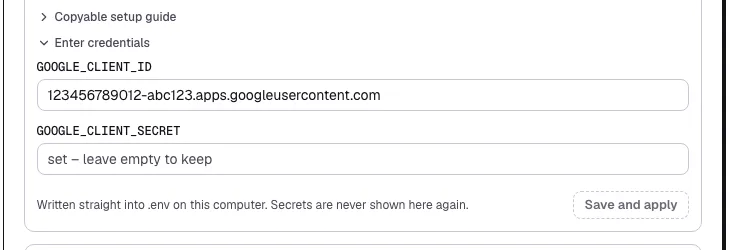
- 1:Client ID
- 2:Save and apply
.envfor you and restarts the services. Secrets are never shown again.
Install the Chrome extension
Do this once in every Chrome profile you use for TikTok.
Open
chrome://extensionsand switch on Developer mode (top right).Load unpacked → choose the
extension/folder in yourpublitsifolder.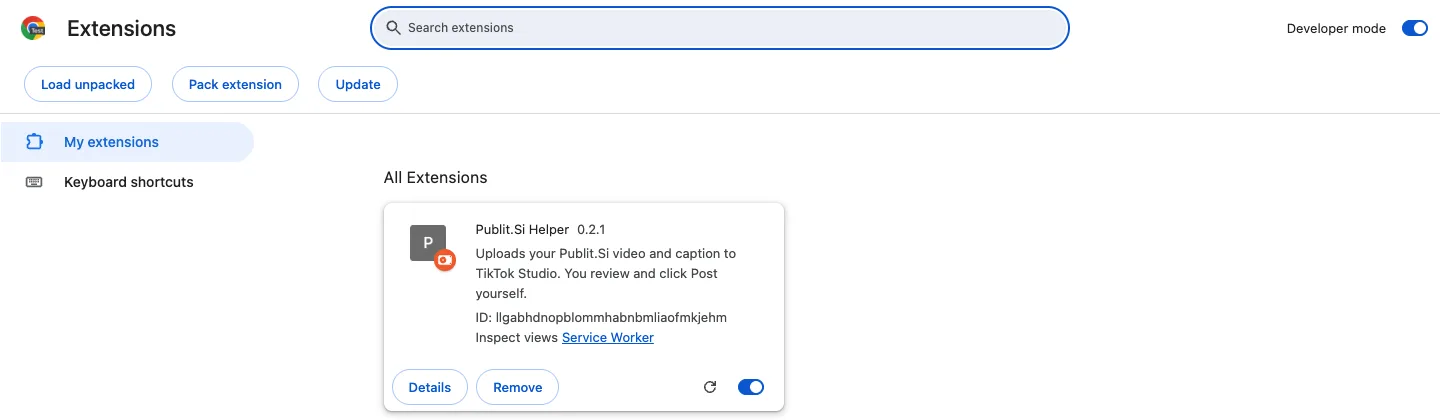
- 1:Developer mode
- 2:Load unpacked
- 3:Publit.Si Helper
chrome://extensions→ Developer mode on → Load unpacked → theextension/folder.Chrome shows a notice about developer-mode extensions. That's normal for extensions you load yourself.
After an update, click ↻ on the extension in chrome://extensions in each profile.
Check
Settings › Platform setup › TikTok shows every item as set, and the extension appears in chrome://extensions in each TikTok profile.
Common problems
Stuck? Write to us. We're happy to help. Leave out secrets and tokens.