Publish your first post
Time to see it work: connect your accounts and schedule a short test post a few minutes ahead.
Connect your accounts
Accounts → New project (one per brand or channel), then Connect account and pick the platform.
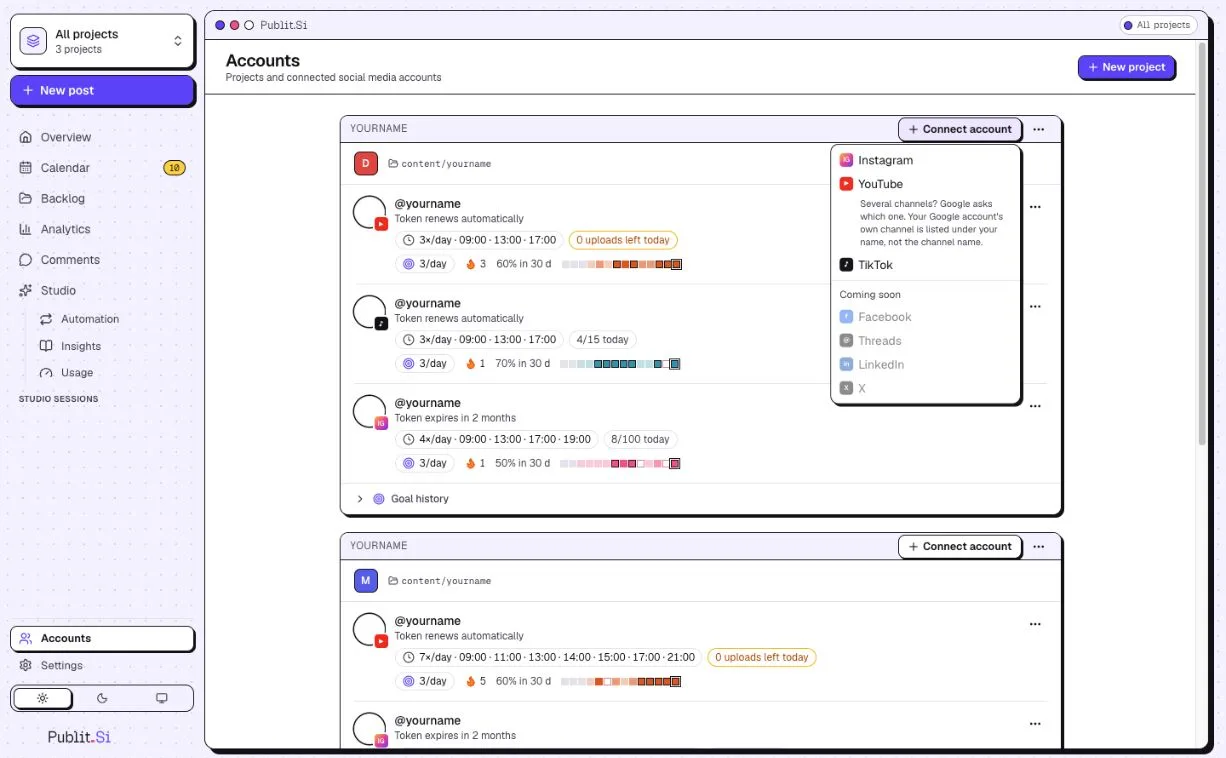
- 1:Connect account
- 2:YouTube
For Instagram and TikTok, choose the Chrome profile that is signed in to that account.
Schedule a test post
Create a post with a short test video or image and schedule it five minutes ahead.
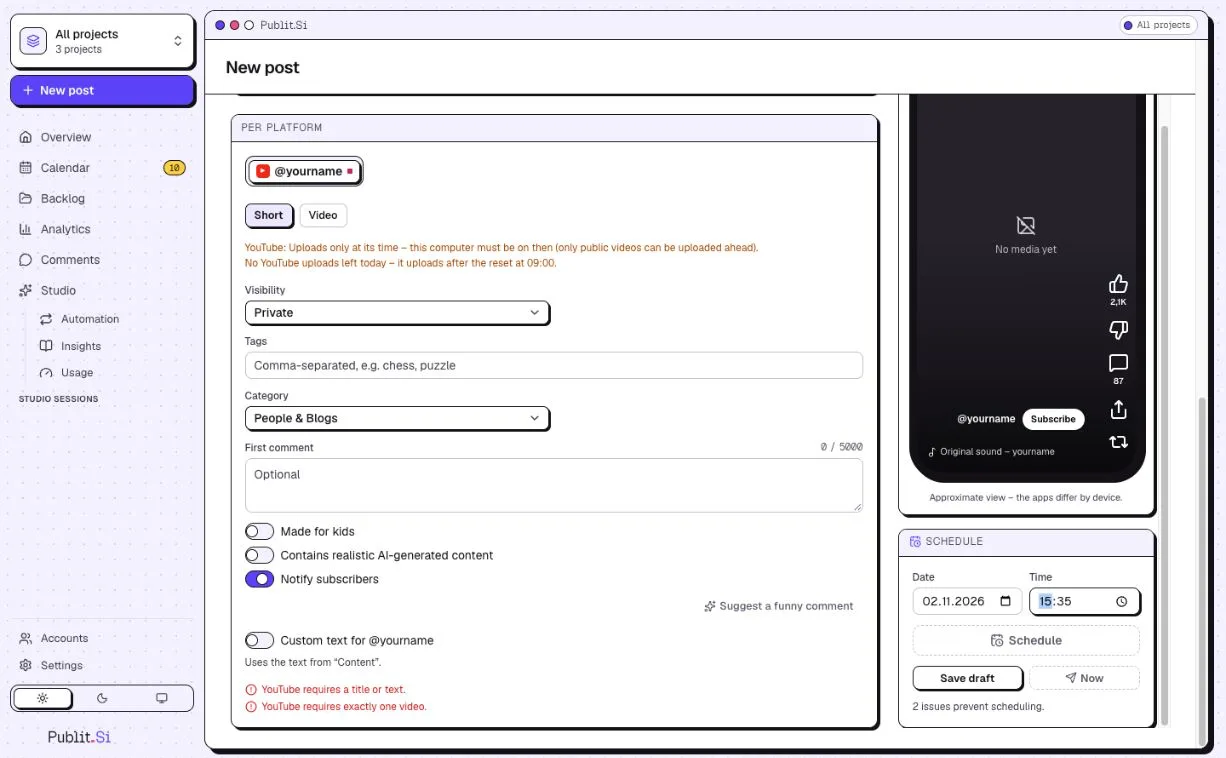
- 1:Visibility: Private
- 2:Time
- 3:Schedule
On YouTube, set the visibility to Private or Unlisted for the test, so it doesn't reach your subscribers.
Wait, and keep the computer awake.
Your content lives in content/<project>/ in the publitsi folder. It isn't in Git: back it up with pnpm backup.
Check
The post shows as published in the queue, and you see it on the platform. For TikTok Studio, the post waits under Queue › “Waiting for you” until you click Post.
Common problems
Stuck? Write to us. We're happy to help. Leave out secrets and tokens.