
Turn on AI
AI is optional. Planning, the calendar, the editor and publishing work without it. Publit.Si uses the AI app you already have and its login, not an API key; usage counts against your own plan.
You need
- Claude Code, Codex or Cursor, signed in once
Install and sign in
Mac and Linux, Claude Code:
curl -fsSL https://claude.ai/install.sh | bash claude # sign in onceWindows, Claude Code (PowerShell). Use this native installer; an npm install only leaves a
claude.cmdthat Publit.Si can't start:irm https://claude.ai/install.ps1 | iexCodex: install it and run
codexonce to sign in.
Pick the runner
Publit.Si → Settings → AI assistant: choose Claude Code, Codex or Cursor for texts in the app (“Create from idea”, “Improve with AI”). Coding agents sets which one starts Studio chats; it works in each project's own repository.
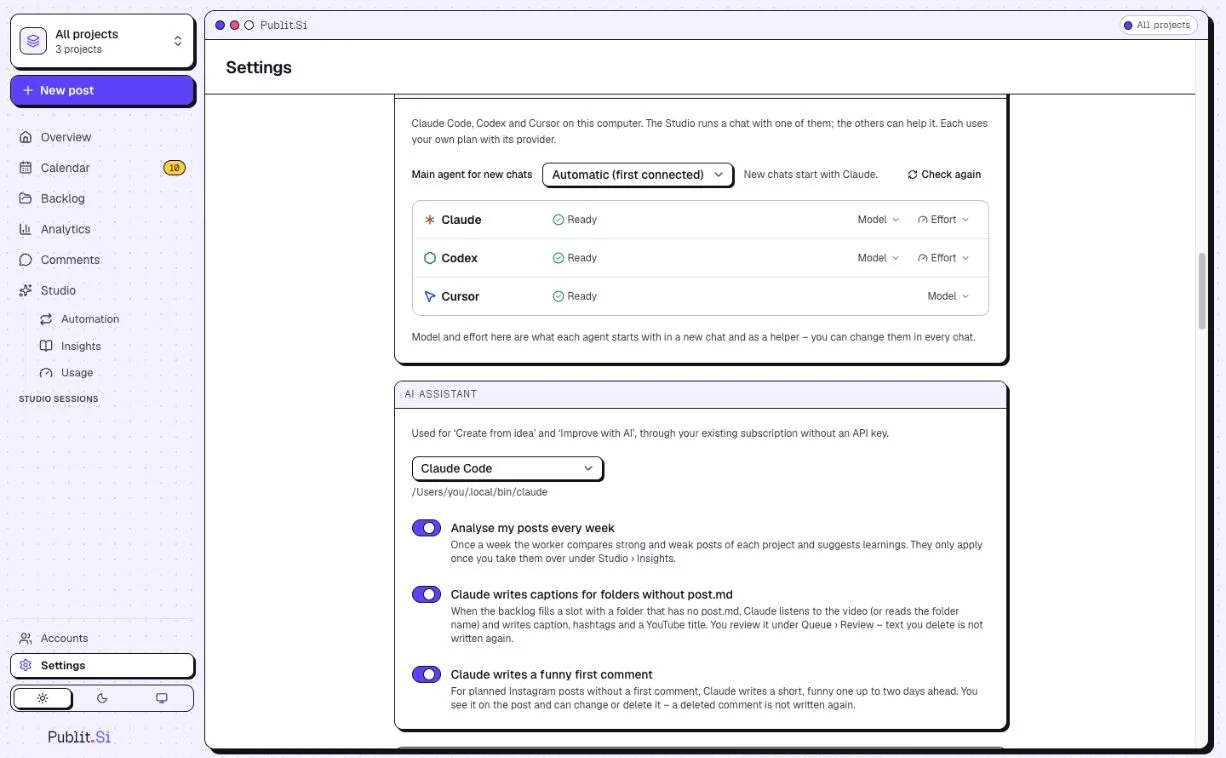
- 1:Coding agents: main agent for chats
- 2:AI assistant
Optional: let your agent use Publit.Si
Your agent can then read your projects and create drafts. It never publishes. Settings › MCP for Claude Code, Codex & Cursor shows these with your real path.
Claude Code (run in the
publitsifolder):claude mcp add --scope user publitsi -- pnpm --silent --dir "$(pwd)" mcpClaude Code on Windows (PowerShell, in the folder):
claude mcp add --scope user publitsi -- cmd /c pnpm --silent --dir "$PWD" mcpCodex, in
~/.codex/config.toml. Cursor: the block in Settings, in~/.cursor/mcp.json.[mcp_servers.publitsi] command = "pnpm" args = ["--silent", "--dir", "/path/to/publitsi", "mcp"]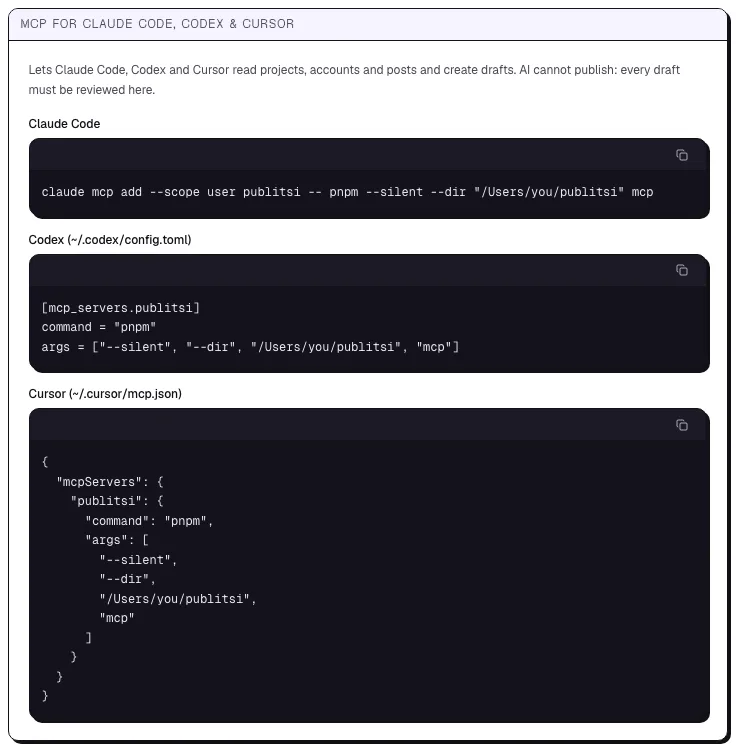
- 1:Claude Code
- 2:Codex
- 3:Cursor
Check
Settings doesn't show “CLI not found” for the runner you chose.
Common problems
Stuck? Write to us. We're happy to help. Leave out secrets and tokens.